What Is Supabase? Tables, Auth, and Server Functions in One Place
Who this is forReaders who got stuck when AI said to save data in Supabase without knowing what it is, or who first hit the free-plan pause screen.
Series · AI automation glossary part 8 of 13, expand to see all
- What Is an API? Understanding It with One Snack Bar Order Slip
- What Is a Webhook? Understanding It With a Restaurant Waiting Ticket
- What Is a Server? A Computer That Stays On When Yours Doesn't
- What is a terminal? A plain-English guide to the CLI and shell
- AI automation terms explained: MCP, agent, context, skill, and secret
- Claude terms explained: Projects, Artifacts, Cowork, and scheduled tasks
- What Is a Database? Why Tables Look Alike but Lock Differently
- What Is Supabase? Tables, Auth, and Server Functions in One Place
- Auth and RLS Explained: Keep the Screen Open, Lock the Data
- What Is Google Apps Script? Running Your Code on Google's Servers
- What Is Playwright? Why AI Suddenly Opens a Chrome Window
- What Is Aside? An Agent Browser That Clicks Using Your Own Logins
- What Does AX Mean? AI Transformation vs. DX and 3 Workplace Bottlenecks
TL;DR: Supabase is a backend service that provides tables (databases), authentication, and automatic execution in one place. When AI-generated code says “save it in Supabase,” this is the place it means. This post covers what is actually inside, why people say it works well with AI coding, and the pause screen I ran into on the free plan.
Contents
- What Supabase Bundles Together
- Components: Tables, Auth, Automatic Execution, Server Functions
- Why It Works Well with AI Coding
- The Free Plan Trap: Projects Get Paused
- Why There Are Two Keys, Covered in the Next Post
- Summary
1. What Supabase Bundles Together
Open the Supabase homepage and you will see three cards side by side under the line “Build in a weekend, Scale to millions.” They are Postgres Database, Authentication, and Edge Functions. These three cards show what this service is. In short, Supabase is a backend service that handles data behind the screen, like a server, and it provides tables (databases), authentication, and automatic execution in one place.
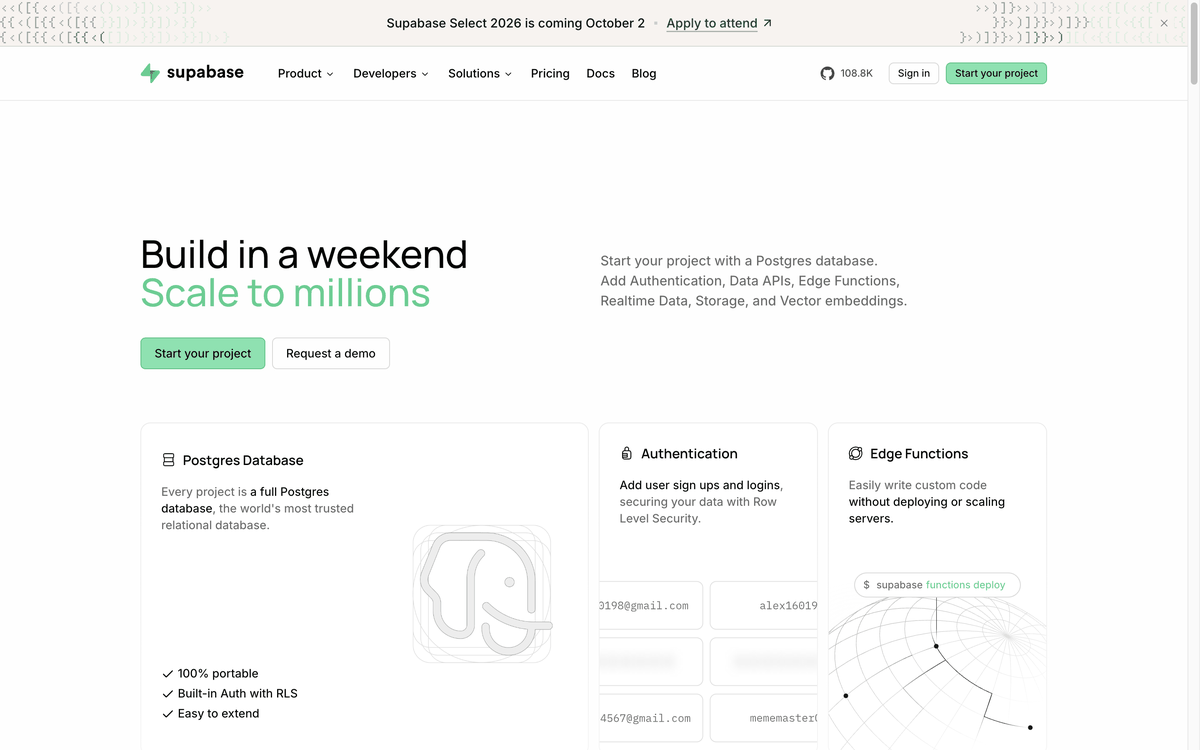
The official architecture documentation makes the center of this structure clear. Postgres is the core of Supabase, and according to the official documentation, every project receives a full, real Postgres database rather than an imitation of Postgres. Supabase is often introduced as an alternative to Firebase, and it uses PostgreSQL as its database.
2. Components: Tables, Auth, Automatic Execution, Server Functions
Before going through the components one by one, let’s first look at how a table appears inside this service.
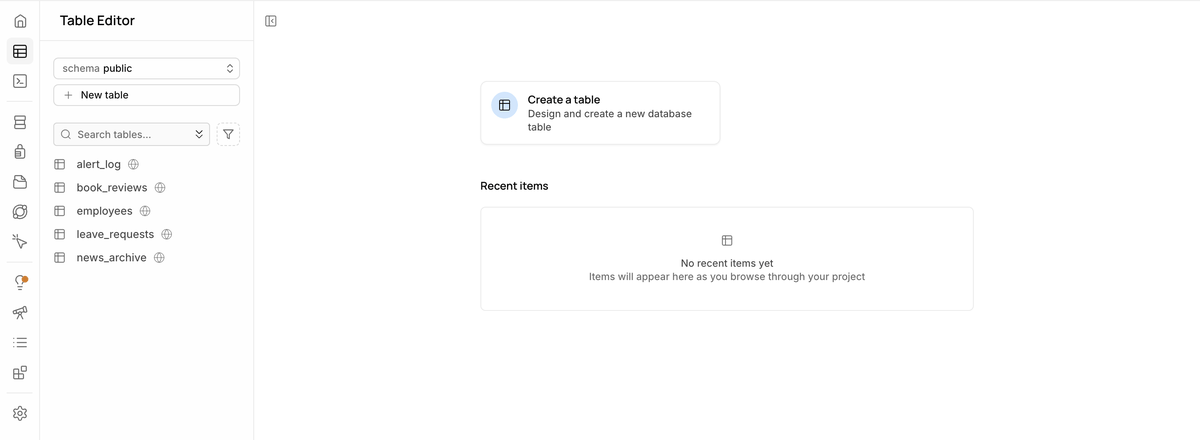
The table below breaks down what “bundled in one place” means, component by component.
| Component | What it does |
|---|---|
| Postgres (database engine) | The tables where actual data accumulates. A full Postgres database |
| GoTrue (login handling, identity verification) | Handles login and identity verification. Login methods are password, email link, SMS verification code, and social login |
| PostgREST (turns tables into APIs) | A layer that turns tables directly into an API |
| Realtime (live notifications) | Notifies you the moment a table changes |
| Storage (file storage) | File storage space |
| Edge Functions (server functions, Deno-based) | The place where code runs automatically |
| Studio (admin screen) | Dashboard. Provides a screen for editing tables and a screen for writing queries directly |
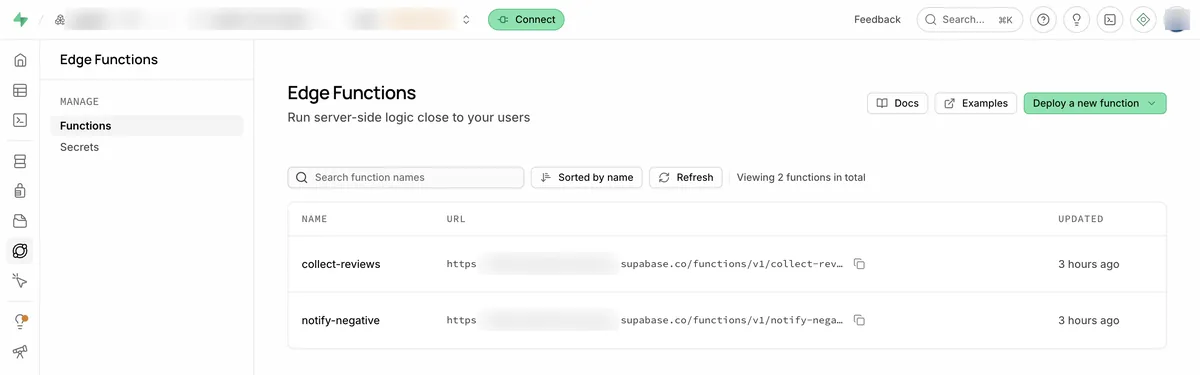
Among these, the part that corresponds to “automatic execution” is Edge Functions. The screen below shows a bookstore review collection automation built as an Edge Function and set to run once a day on a schedule.
3. Why It Works Well with AI Coding
When I asked why Supabase was chosen, the answer I got was short.
This judgment also fits the component table. Postgres is familiar because it is a table, and PostgREST automatically converts that table into an API. That means there is no need to create a separate “order form” like the one explained in the What Is an API? post. The moment you create a table, the API key to access that table comes out with it.
4. The Free Plan Trap: Projects Get Paused
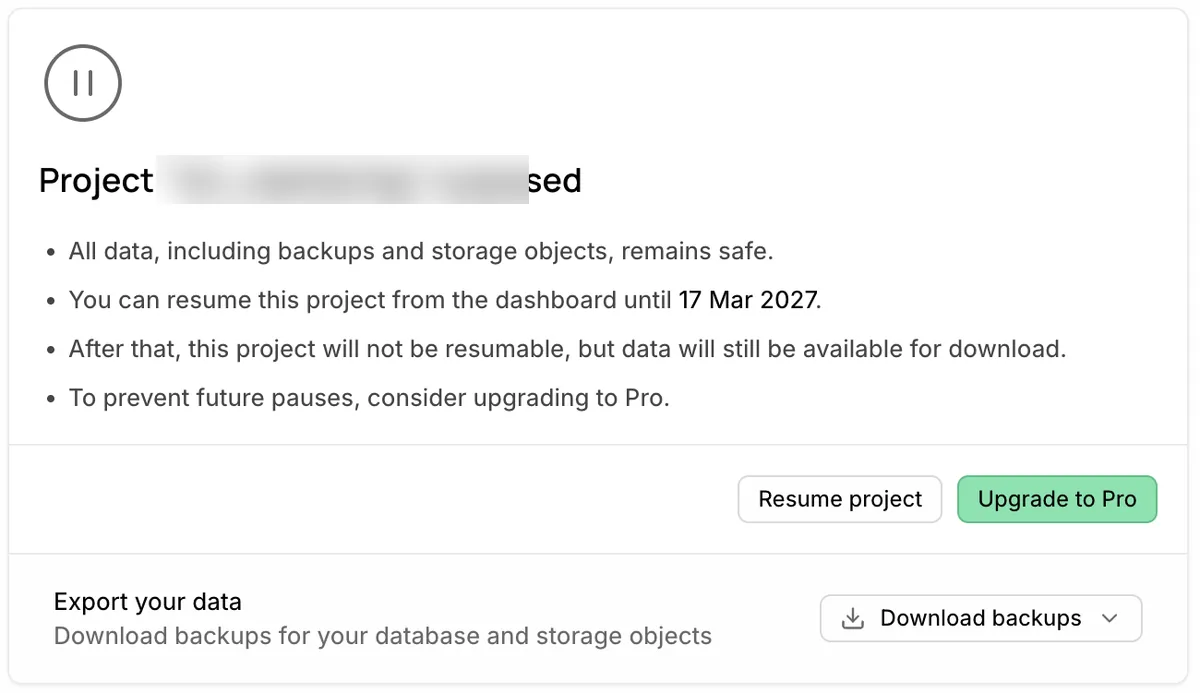
The Supabase free plan has a rule that projects automatically pause when there is no activity. The screen below shows a project that had an automation loading 600 news RSS items into a table get paused.
For how the lock actually works in practice, see the What Are Auth and RLS? post, which covers it with measured tests.
5. Why There Are Two Keys, Covered in the Next Post
When you create a Supabase project, you get your keys from the API Keys screen. There are two kinds with different purposes.
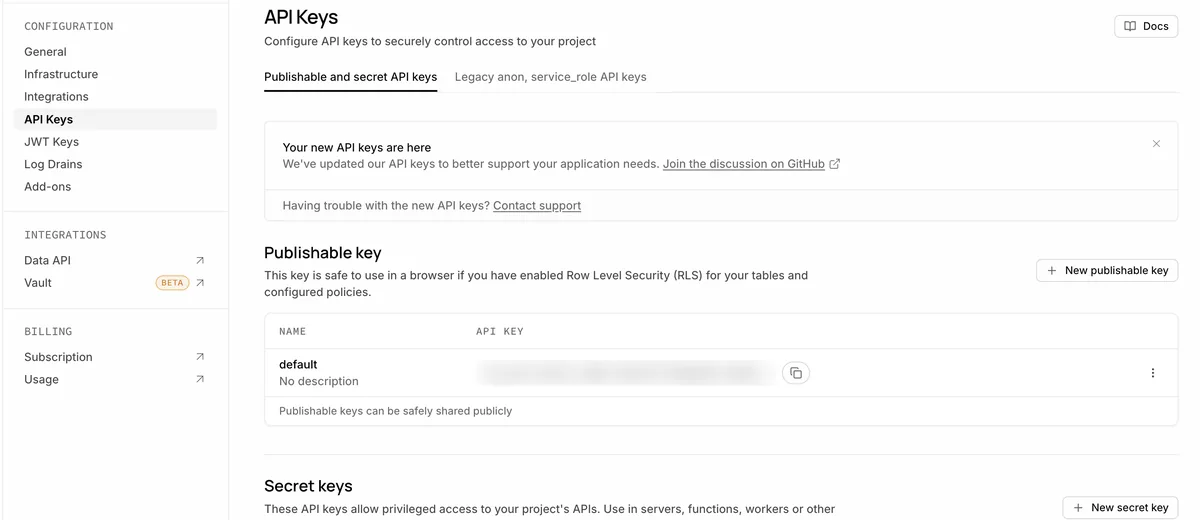
At the top of the screen there are two tabs: the currently open “Publishable and secret API keys,” and next to it, “Legacy anon, service_role API keys.” The names have changed, but the roles are the same. The anon key is now in the spot of the Publishable key, and the service_role key is in the spot of the Secret key.
6. Summary
This series continues with What Is a Server?, What Is an API?, What Is a Webhook?, and What Is a Database?. The next installment, What Are Auth and RLS?, covers with measured tests how the rules that lock tables actually work.
Supabase free plan pause criteria and pricing policies may change due to service circumstances. For exact figures, check the project settings in the Supabase dashboard or the Supabase Pricing page directly. The screens and measured records in this post are current as of September 5, 2026.
Frequently asked questions
- Why does my Supabase free project get paused?
- On the free plan, a project pauses after 7 days of inactivity. Your data and backups stay safe, and you can resume the project from the dashboard until a set date.
- Which Supabase API key is safe to use in a browser?
- The Publishable key is safe in the browser when row-level security is turned on and policies are set. Secret keys are meant only for servers, functions, and workers.
Want the full system? The Claude Code & Codex Skills guidebook collects the skills and subagents behind this blog, from $19.
BuildnWrite helps teams build AI agents that keep running. About BuildnWrite ›