What Is Aside? An Agent Browser That Clicks Using Your Own Logins
Who this is forReaders who were surprised to see an AI open a browser window and click on its own, or who want to know what Aside does that an agent browser doesn't.
Series · AI automation glossary part 12 of 13, expand to see all
- What Is an API? Understanding It with One Snack Bar Order Slip
- What Is a Webhook? Understanding It With a Restaurant Waiting Ticket
- What Is a Server? A Computer That Stays On When Yours Doesn't
- What is a terminal? A plain-English guide to the CLI and shell
- AI automation terms explained: MCP, agent, context, skill, and secret
- Claude terms explained: Projects, Artifacts, Cowork, and scheduled tasks
- What Is a Database? Why Tables Look Alike but Lock Differently
- What Is Supabase? Tables, Auth, and Server Functions in One Place
- Auth and RLS Explained: Keep the Screen Open, Lock the Data
- What Is Google Apps Script? Running Your Code on Google's Servers
- What Is Playwright? Why AI Suddenly Opens a Chrome Window
- What Is Aside? An Agent Browser That Clicks Using Your Own Logins
- What Does AX Mean? AI Transformation vs. DX and 3 Workplace Bottlenecks
TL;DR: An agent browser is a regular browser with an AI attached that clicks on your behalf. Instead of connecting a new account to someone else’s server, it works inside the browser where you’re already logged in, reading the screen and clicking directly. Aside is one of the products taking this approach. This article uses only Aside’s official description and the author’s own hands-on notes to explain what is different and what to watch out for.
Contents
- What Is an Agent Browser?
- The Three Differences Aside Claims
- Seeing It for Yourself: The New Tab Screen
- Why I Use Aside Instead of Playwright by Default
- Caution: Before You Hand Over All Your Permissions
- Summary
Sometimes you ask an AI to do something for you on a website, and a Chrome window suddenly opens on its own. The page scrolls and buttons get pressed even though your mouse isn’t moving. The first time you see it, it looks like a malfunction, but the AI is actually looking at the screen and clicking the way a person would. Recently, some products have brought this behavior out as a feature of the browser itself, and one of them is Aside (aside.com). This article first lays out the concept of an agent browser, then covers the differences Aside officially claims and the pros and cons the author actually experienced.
1. What Is an Agent Browser?
An agent browser is, as the name says, “browser + agent.” The browser is the screen we use every day, and the agent is an AI that looks at the screen, decides what to do, and clicks on your behalf. Combine them, and you get a product where the AI reads the page inside the browser and decides for itself what to click next, without a person instructing each step.
This concept is a common umbrella term in the industry, so it isn’t unique to Aside. ChatGPT Atlas and Claude for Chrome are often mentioned in the same category. This article, however, doesn’t rank the products by comparing their features. It only covers what Aside officially states and what the author has actually verified.
Regular browser vs. agent browser
2. The Three Differences Aside Claims
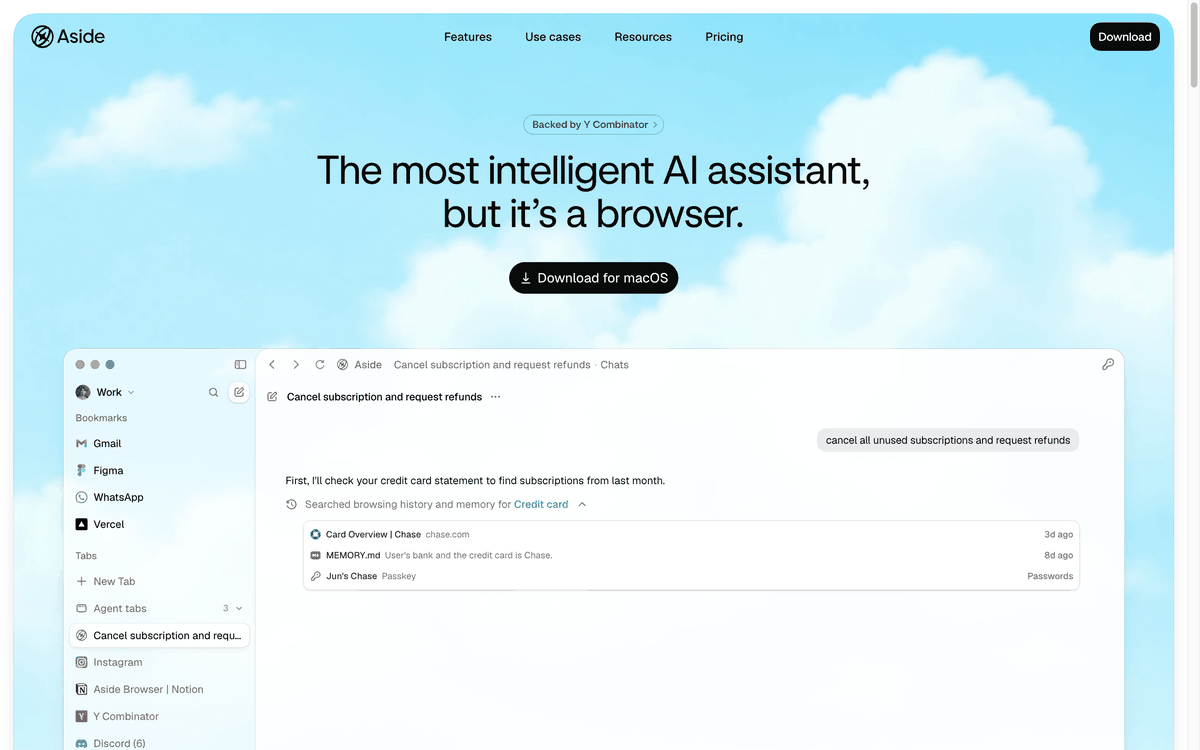
Aside describes itself on its official homepage as “The most intelligent AI assistant, but it’s a browser.” Rather than connecting through integrations via other services or APIs, its core claim is that it uses the websites and accounts you’re already logged into as they are. The same applies whether it’s messages, payments, internal tools, documents, or spreadsheets.
This approach matters in practice on sites with login barriers. Sites with strong bot blocking can stop attempts to connect a new account through an API. An agent browser doesn’t create a new account; it inherits and uses the login state you’ve already gotten past.
Aside’s three claimed differences (company description):
| Item | Official description | What’s different |
|---|---|---|
| Login inheritance | Uses the accounts I’m already logged into | No need to connect a new account or issue an API key |
| Memory | Turns browsing history into memory, stored locally and not shared | No need to re-explain the situation every time |
| Password manager | Claims to be the first password manager built for agents | Autofills credentials without exposing them to the AI |
Aside also says it ranks first on three benchmarks (Online-Mind2Web, BU-Bench-V1, and Odysseys). This is the company’s own claim, not a result independently verified by a third party. The company was backed by Y Combinator and founded in 2026. The download button on the homepage is for macOS (checked September 5, 2026). Pricing is listed under the Pricing menu at the top of the homepage, so I haven’t included numbers in this article.
3. Seeing It for Yourself: The New Tab Screen
Descriptions alone are abstract, so let’s look at the actual screens. Below is a capture of the Aside homepage.
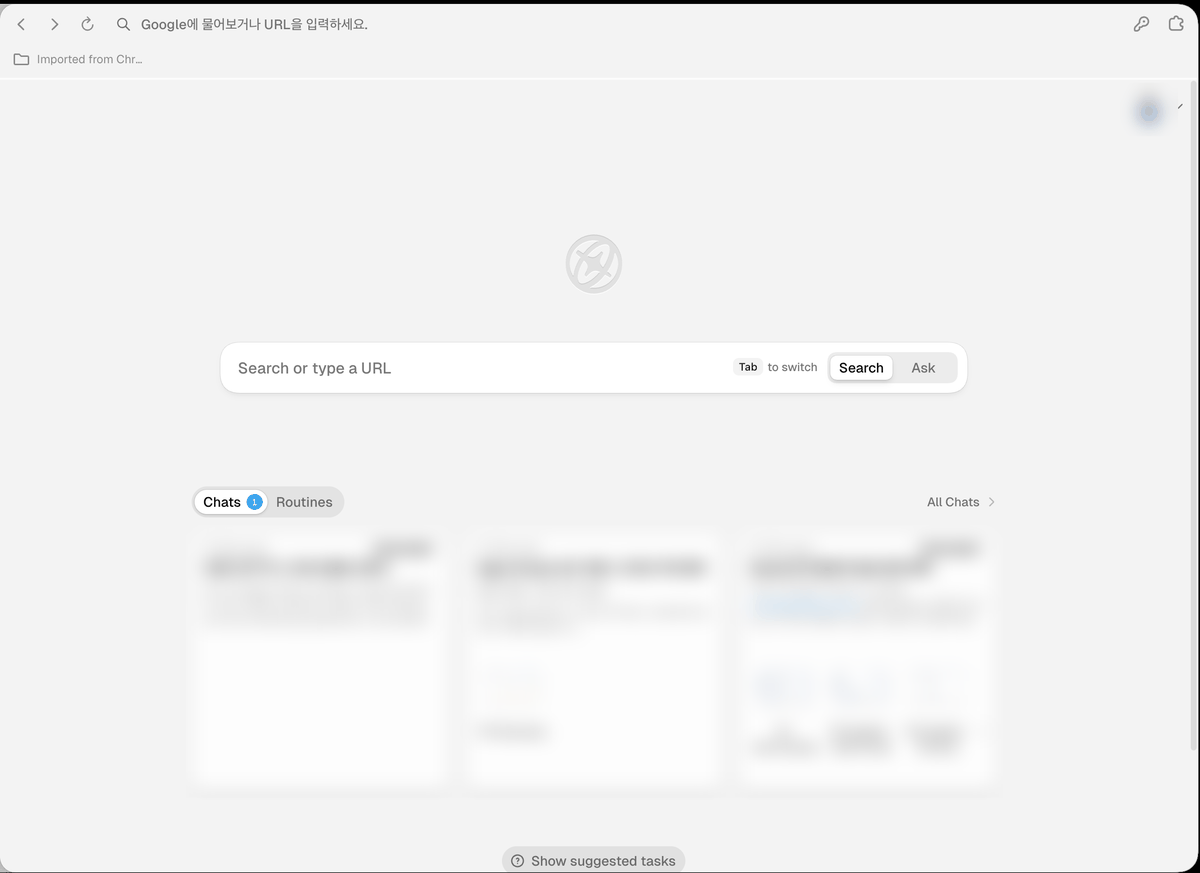
Next is the new tab screen when you open the actual app. The task cards at the bottom and the avatar at the top right are blurred.
4. Why I Use Aside Instead of Playwright by Default
As covered in this series’ What is Playwright? post, Playwright is also a tool that lets AI control a browser for you. Because Aside uses the browser where I’m already logged in, a task on LinkedIn went through without any login steps (author’s own test, August 2026).
5. Caution: Before You Hand Over All Your Permissions
The strength of an agent browser, that it inherits the state where you’re already logged in, is also exactly where the risk lies. If you’re logged into an account, the agent can do everything that account can do.
The password manager feature needs the same caution. Aside says it “autofills credentials without exposing them to the AI,” but that is a description of how the company designed it, not the result of a security audit by a third party. If your task involves financial information or company credentials, it’s safer to narrow down which sites the agent may access before you give it the task.
6. Summary
For further reading, see What is Playwright, What is a webhook, and What is an API. To look up more automation terms, you can also check the AI automation glossary.
The Aside-related descriptions in this article (the headline, feature descriptions, and benchmark claims) reflect what I checked on aside.com and the official help docs on September 5, 2026. Benchmark rankings are the company’s own claims, and pricing and the free tier may change on the service’s end, so judge by the latest information on the homepage.
Frequently asked questions
- What is an agent browser?
- An agent browser is a regular browser with an AI attached that clicks on your behalf. It works inside the browser where you are already logged in, reading the screen and clicking directly.
- Can an agent browser like Aside do everything my logged-in account can?
- Yes. The agent can do anything the logged-in account can do, so the post advises stating the site, expected result, and limits in the task. Actions that are hard to undo, such as payments or sending messages, should be confirmed by a person.
BuildnWrite helps teams build AI agents that keep running. About BuildnWrite ›