What Is Playwright? Why AI Suddenly Opens a Chrome Window
Who this is forSomeone who asked an AI to do web work and was startled when a Chrome window opened on its own.
Series · AI automation glossary part 11 of 13, expand to see all
- What Is an API? Understanding It with One Snack Bar Order Slip
- What Is a Webhook? Understanding It With a Restaurant Waiting Ticket
- What Is a Server? A Computer That Stays On When Yours Doesn't
- What is a terminal? A plain-English guide to the CLI and shell
- AI automation terms explained: MCP, agent, context, skill, and secret
- Claude terms explained: Projects, Artifacts, Cowork, and scheduled tasks
- What Is a Database? Why Tables Look Alike but Lock Differently
- What Is Supabase? Tables, Auth, and Server Functions in One Place
- Auth and RLS Explained: Keep the Screen Open, Lock the Data
- What Is Google Apps Script? Running Your Code on Google's Servers
- What Is Playwright? Why AI Suddenly Opens a Chrome Window
- What Is Aside? An Agent Browser That Clicks Using Your Own Logins
- What Does AX Mean? AI Transformation vs. DX and 3 Workplace Bottlenecks
TL;DR: Playwright is an open-source tool that controls a browser with code. Code takes over the clicking and typing a person would do with a mouse and keyboard. It first took hold in test automation, but it is now also used directly when AI agents operate a screen. The moment an AI opens a Chrome window during web work is exactly when this tool is running.
Contents
- Why AI suddenly opens a Chrome window
- Playwright is a tool that controls a browser with code
- Three uses: testing, scripts, and AI agents
- MCP: how AI calls Playwright
- When the window opens, leave it alone
- What happens on sites that require login
- Summary
1. Why AI suddenly opens a Chrome window
Ask an AI coding tool to do a web-related task, and at some point, before the answer comes back, a Chrome window pops up on its own. The AI clicks something on the screen, input fields fill in by themselves, and pages change without anyone touching them. The first time you see it, it can even feel like your screen has been hijacked.
This post is for anyone curious about why that window opens and what happens inside it. After reading it, you will not be startled when the window appears, and you will know what to do and what not to do.
2. Playwright is a tool that controls a browser with code
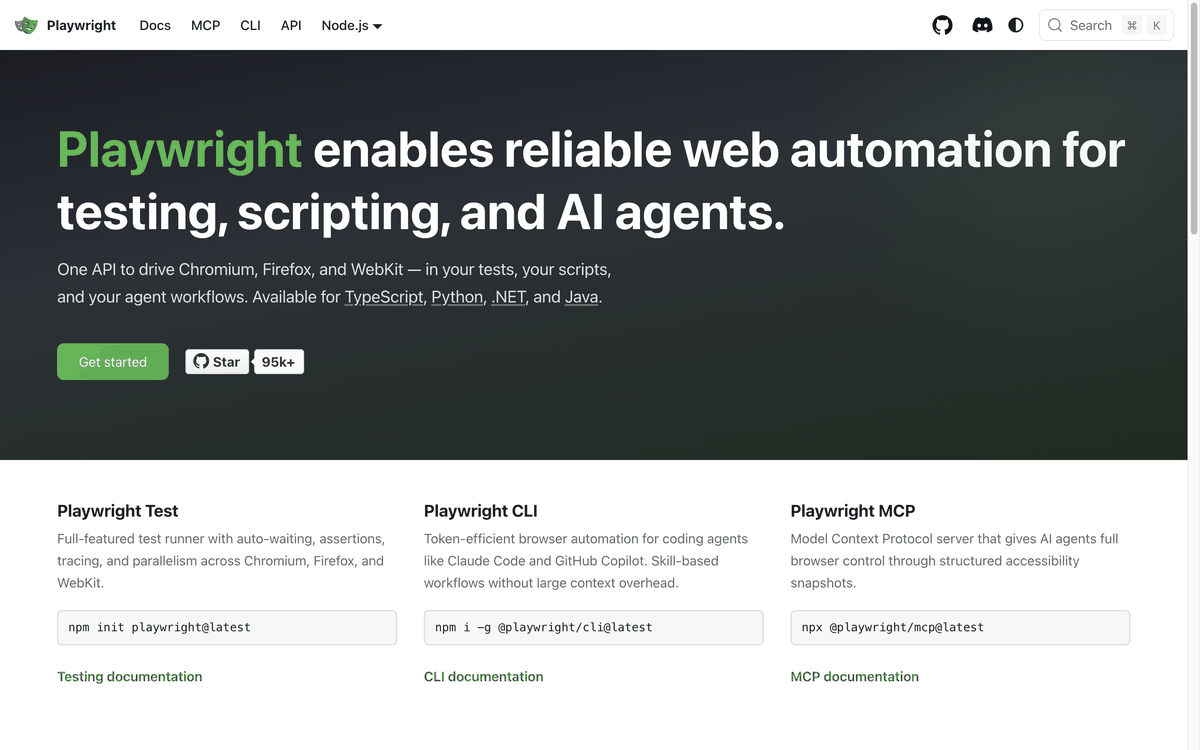
The tool that opens that window is called Playwright. A single line of code takes over what a person does with a mouse and keyboard. Write commands in code such as “click this button” or “enter this text into that field,” and Playwright executes them in a real browser window.
The Playwright official website introduces itself as “trusted web automation for testing, scripts, and AI agents.” One API controls Chrome (Chromium), Firefox, and Safari (WebKit), and it supports four languages: TypeScript, Python, .NET, and Java. Microsoft created it, and it is open source with all of its source code public.
3. Three uses: testing, scripts, and AI agents
The three branches shown in the earlier screenshot are exactly how Playwright is used.
| Use | What it does | Who mainly uses it |
|---|---|---|
| Playwright Test | Test runner with auto-waiting, result checks, and parallel runs across multiple browsers | Developers, QA engineers |
| Playwright CLI | Token-efficient browser automation for coding agents | Coding agents such as Claude Code and GitHub Copilot |
| Playwright MCP | Gives AI agents browser control through a Model Context Protocol (MCP) server | AI agents in general |
All three branches share the same foundation. Controlling a browser with code is the same in each case. What differs is whether the result is used as a test pass or fail, as an automation script, or as an AI agent’s hands. The Chrome window that opens on its own, which this post covers, appears in the third case, when Playwright MCP is running.
4. MCP: how AI calls Playwright
When AI controls a browser, it uses a separate project called Playwright MCP. The official repository describes itself as “a Model Context Protocol (MCP) server that provides browser automation capabilities using Playwright.”
The key detail here is how it reads the screen. Instead of taking screenshots and looking at images, Playwright MCP reads the screen as structured data called the accessibility tree. That data was originally built so screen readers for visually impaired users could read out the text, buttons, and input field positions on a screen, and Playwright MCP reuses it. That is how the AI knows where each button and input is without looking at the screen.
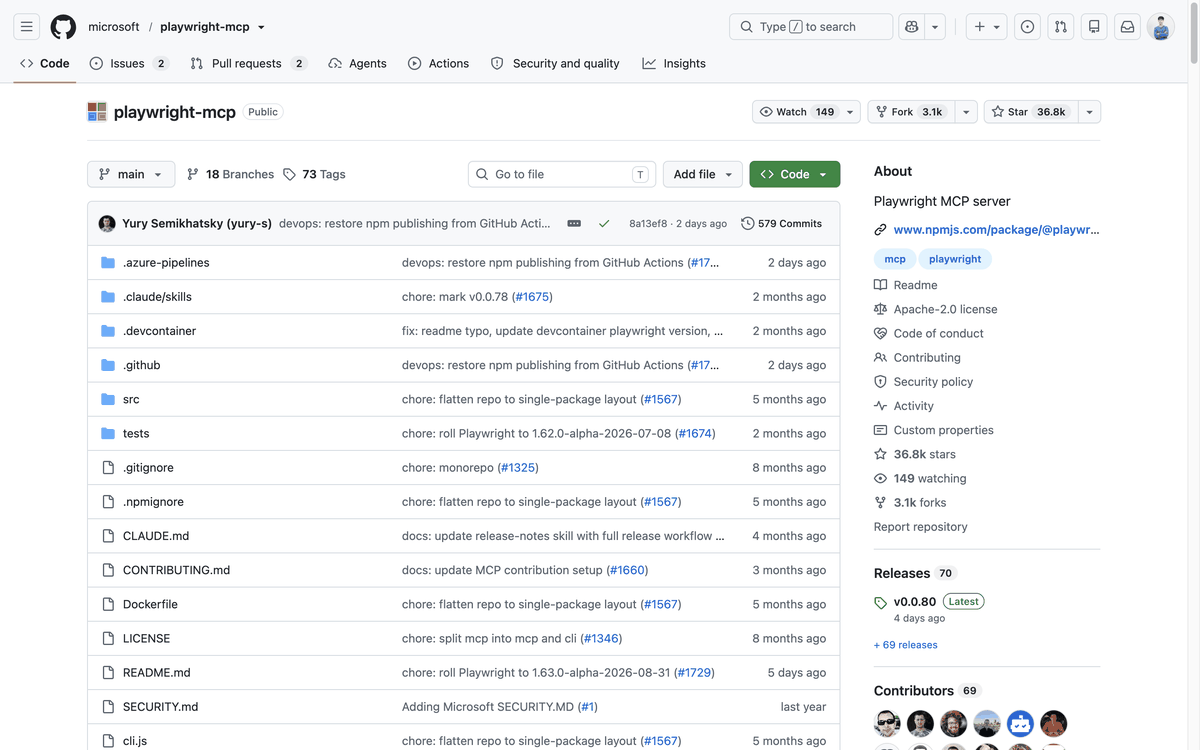
Playwright MCP runs in headed mode by default, meaning with a visible window. You have to add the --headless option separately to hide the window. So the default is not for the AI to move quietly behind the scenes without you noticing. The default is for the window to be open while the AI moves around. The command to register it with Claude Code is a single line: claude mcp add playwright npx @playwright/mcp@latest.
5. When the window opens, leave it alone
When a Chrome window opens on its own, the task is simple: leave it be. The AI is using that window to check how the screen actually looks and whether it got the result it wanted. If you close the window or touch the mouse, the screen the AI is trying to verify disappears or drifts out of sync, and the task can stall or have to start over.
Conversely, if the window does not appear where it should, you may be calling it in headless (windowless) mode. Whether a window appears comes down to a single option. The fact that you are controlling a browser with code stays the same.
6. What happens on sites that require login
The window Playwright MCP opens first starts in a new profile that is not logged in. By default, however, that profile is kept as is, so once you log in, the login state remains the next time it opens. The official repository calls this approach a “persistent profile” and explains that “login information is stored in the persistent profile, and you can clear the offline state between sessions if you want.”
Adding the --isolated option changes this. Each session starts fresh in an isolated profile, and every time you tell MCP to close the browser, that session’s saved state disappears. Here, a session means one period of use, from login through to shutdown. If a tool uses this option, you have to enter your username and password again for every task that requires login. Playwright MCP also has another approach: a browser extension that attaches to a Chrome tab you already have open and uses that tab’s existing login session as is.
Aside, an agent browser, handles this login problem differently. I cover the details in What is an agent browser?.
7. Summary
Playwright is an open-source tool from Microsoft that controls browsers with code. It is used in three branches: testing, scripts, and AI agents. When AI uses it, Playwright MCP reads the screen structure through the accessibility tree and operates the window directly. Login information remains in the default persistent profile, and the isolation option makes it start fresh every time.
This post is part of a series that also includes What is an API? and What is a webhook?. For the unfamiliar terms you run into while working with AI automation tools, I also put together an AI automation terms glossary and a Claude feature terms glossary. To learn how to start Claude Code in your terminal for the first time, see the Claude Code CLI guide.
The Playwright and Playwright MCP quotes in this post come from the Playwright official website and the microsoft/playwright-mcp repository, checked on September 5, 2026. Figures such as star counts and release versions can change over time, so judge by what you see on the actual pages.
Frequently asked questions
- What is Playwright?
- Playwright is an open-source browser automation tool from Microsoft that controls a browser with code. It is used for testing, scripts, and AI agents.
- Does Playwright MCP run in a visible window by default?
- Yes. Playwright MCP runs in headed mode by default, so a visible window opens. The --headless option must be added separately to hide the window.
Want the full system? The Claude Code & Codex Skills guidebook collects the skills and subagents behind this blog, from $19.
BuildnWrite helps teams build AI agents that keep running. About BuildnWrite ›