Auth and RLS Explained: Keep the Screen Open, Lock the Data
Who this is forAnyone who built a login screen with AI and wants to know whether the data behind it is actually locked.
Series · AI automation glossary part 9 of 13, expand to see all
- What Is an API? Understanding It with One Snack Bar Order Slip
- What Is a Webhook? Understanding It With a Restaurant Waiting Ticket
- What Is a Server? A Computer That Stays On When Yours Doesn't
- What is a terminal? A plain-English guide to the CLI and shell
- AI automation terms explained: MCP, agent, context, skill, and secret
- Claude terms explained: Projects, Artifacts, Cowork, and scheduled tasks
- What Is a Database? Why Tables Look Alike but Lock Differently
- What Is Supabase? Tables, Auth, and Server Functions in One Place
- Auth and RLS Explained: Keep the Screen Open, Lock the Data
- What Is Google Apps Script? Running Your Code on Google's Servers
- What Is Playwright? Why AI Suddenly Opens a Chrome Window
- What Is Aside? An Agent Browser That Clicks Using Your Own Logins
- What Does AX Mean? AI Transformation vs. DX and 3 Workplace Bottlenecks
TL;DR: A screen can be open to everyone, but the data behind it may need to look different for each person. That requires two keys. Authentication (Auth) checks who is making the current request. RLS is the rule that limits, inside the database, which rows each verified person can see. This post shows when and how these two work, based on a record of actually reading and writing a table with just the anon key.
Contents
- Screens are public, data is locked
- Auth and RLS do different jobs
- Closed tables go silently empty, bad writes fail loudly
- How to check with the anon key on screen
- The risk one approve button opens
- What to watch out for once it works
If you tell an AI “build a login feature,” the screen comes out quickly. Enter an ID and password, and your name appears. Log out, and you’re back on the login screen. Up to this point, it looks like everything works.
But look inside the database table and the situation is different. Behind the login screen, one of two things often happens: the table is visible to anyone, or even logged-in users can see nothing. The locks on the screen and the locks on the data sit in different places. This post separates those two places and shows, based on a record of reading and writing a table with only the anon key, what gets blocked and how. Reading this post alone should explain what auth and RLS each do and why they need to work together.
1. Screens are public, data is locked
The reason to build a login screen is not to hide the screen. The screen itself can be open to anyone. Instead, the data that screen displays needs to differ from person to person. For example, on a yeoncha (paid annual leave) request screen, the screen itself can be reachable by anyone, but each person should see only their own requests.
You can see exactly where this boundary falls in the real-world record in Section 3.
The key point is that these two keys work in different places. Auth works on the login screen and in token issuance. RLS works inside the database. If you build a good login screen but never turn on RLS, the entire table stays open regardless of whether anyone is logged in.
2. Auth and RLS do different jobs
Supabase’s official docs divide the roles of auth and RLS this way. Authentication is “checking whether the person making the current request is really who they claim to be,” and RLS enforces, at the row level rather than the table level, which resources a verified person can access. The official Auth guide explains that identity is confirmed through a credential-like value (a token) attached to each request after login, and that this identity is linked to RLS rules to control row-level access.
Here is the split between the two roles in a table:
| Aspect | Auth | RLS |
|---|---|---|
| What it checks | Who the requester is | Which rows that person can see |
| Where it works | Login screen, token issuance | Rules inside the database |
| How it works | Verifies identity through a login method | Automatically adds conditions to every query |
| If only this exists | You can log in, but the table is still open | Without login, every visitor is the same anon role; you can add row conditions but cannot tell people apart |
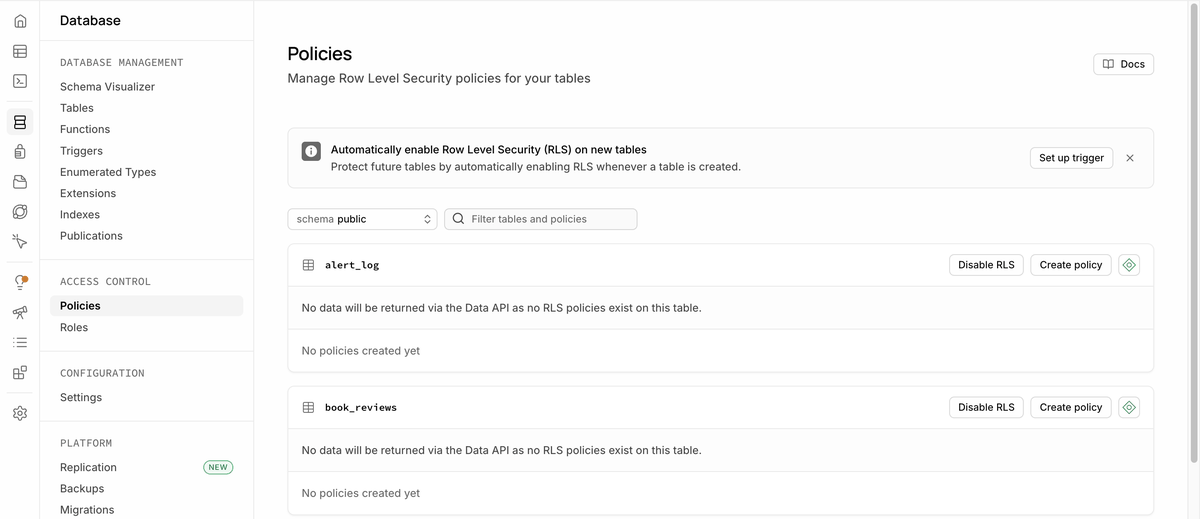
The official RLS docs compare a policy to a “WHERE clause attached to every query.” They also state that, regardless of who is logged in, a table without RLS turned on is fully readable and writable by anyone with access. Auth alone cannot lock this door. Auth only checks the ID card at the door. Deciding which drawers to open for that ID card is RLS’s job.
The dashboard shows this directly in text:
3. Closed tables go silently empty, bad writes fail loudly
So far this has been conceptual. When you actually read and write a table with the key for visitors who aren’t logged in (the anon key), the signals you get when RLS blocks you are completely different for reads and writes. Below is a record of actually going through this procedure twice.
Write: insert a new row into a table with no policy using the anon key
- Request Try to add a new row to the leave request table RLS is on and no policy opens it to anon
- Response HTTP 401, the policy violation error message shown as-is new row violates row-level security policy for table "leave_requests" (code 42501)
- Notice The cause can be checked as soon as the error appears The code immediately tells you it was blocked
Loud block, returned as an error
Read: query the same table with the anon key (select)
- Request Try to read rows from the same table RLS is on and no policy opens it to anon
- Response HTTP 200, empty array (0 results) Comes back in the normal response shape, not as an error
- Notice Only noticed much later The code runs fine, but nothing appears on screen
Silently empty, 0 results with no error
4. How to check with the anon key on screen
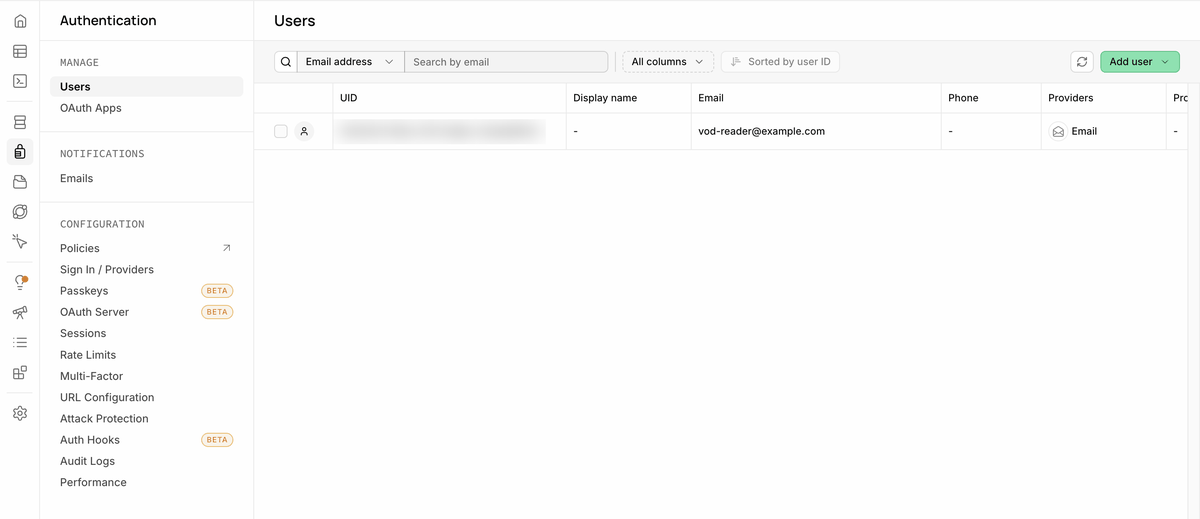
First, here is the visual confirmation of what auth actually does. The Supabase dashboard’s Authentication > Users screen shows the list of logged-in people.
Seeing where the anon key actually lives helps make it concrete. The Supabase dashboard’s API Keys screen looks like this:
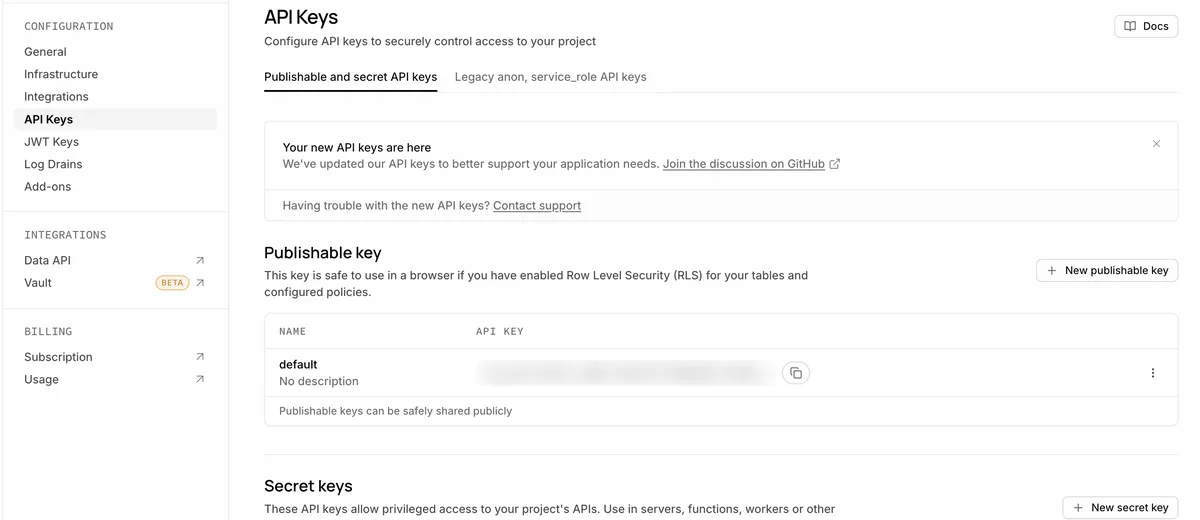
For where to put this key and when to use the server-only key (secret, formerly named service_role) instead, see how to choose Supabase API keys. This post focuses on what RLS actually does behind that key.
5. The risk one approve button opens
As you add policies one by one, the screen gets easier to use. If you open read, write, and update policies on the leave request table, and open a read policy on the employee table, then requests, approvals, and lookups all work with the anon key alone. I actually verified all of these, meaning creating (insert), approving (update), and reading, using this approach.
6. What to watch out for once it works
Once you turn on both auth and RLS, the screen looks the same but the behavior differs by person. A logged-in user sees only their own requests, and only a person verified as an admin can get the approve button to pass. At this point, there is one thing that is easy to forget: every time you open a new policy, check once who it opens to and for which operation. If you carelessly open a read policy to anon, no error appears on screen, so it is hard to notice that anything is wrong at all.
If the code an AI wrote includes RLS policies too, read each line to see which role (anon, the logged-in user role authenticated, or admin or not) is allowed which operation (select, insert, update). Code running correctly and data being locked are different questions. Just because the first one checks out does not mean the second one does.
Related posts in the same series: What is an API? and What is a webhook?. Auth and RLS protect your data, and APIs and webhooks are the channels through which that data travels.
Frequently asked questions
- Why does a Supabase query return an empty array with the anon key?
- If RLS is on and no policy opens the table to anon, reads return HTTP 200 with an empty array and no error. Writes fail with HTTP 401 and error code 42501.
- What is the difference between Supabase Auth and RLS?
- Auth checks who is making the current request. RLS is a database rule that limits which rows each verified person can see. Auth alone cannot lock a table.
Want the full system? The Claude Code & Codex Skills guidebook collects the skills and subagents behind this blog, from $19.
BuildnWrite helps teams build AI agents that keep running. About BuildnWrite ›