69 AI Automations a Solo Business Runs on a Mac mini Server and Claude Code
Who this is forSolo business owners and freelancers who want to cut repetitive work with AI but aren't sure what to automate first.
TL;DR: The MacBook isn’t always on, so I keep a Mac mini as a home server and run 69 automations built with Claude Code. Splitting each automation into five slots (trigger, Claude, memory, deploy, and arrival) shows where to start in your own work.
Contents
- The MacBook sleeps, so I got a Mac mini
- The first automations were built with n8n
- Reading automations as five slots
- Level 3: slots added one at a time
- Maintenance matters more than building
- A first automation to try tomorrow
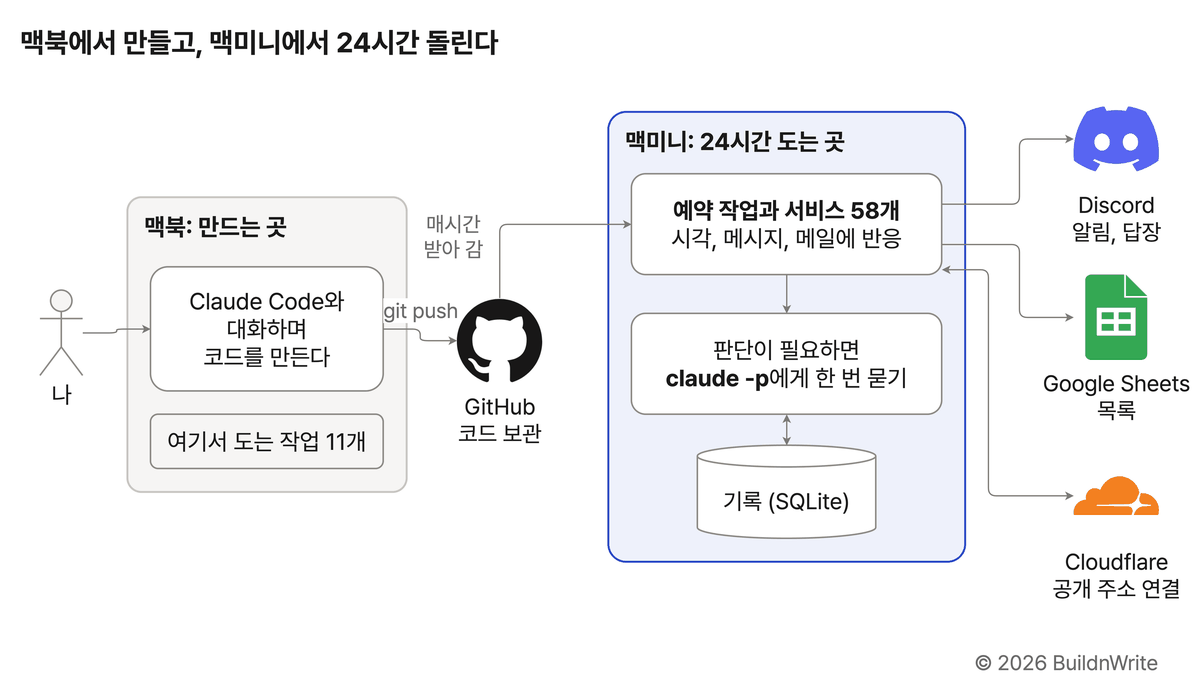
I’m a solo business owner. As of October 20, 2026, 69 automations run on my two computers: 11 on the MacBook and 58 on the Mac mini. That number includes scheduled jobs and always-on services (including servers and backups), so not all of them call an AI.
This post shows how I build and run those 69. The main point isn’t any single automation, but how to read any of them with the same frame.
1. The MacBook sleeps, so I got a Mac mini
The MacBook isn’t always on. I carry it around, close the lid, and it goes to sleep. So I keep a Mac mini at home as an always-on home server. I build with Claude Code on the MacBook, and the Mac mini is where the things I build actually run.
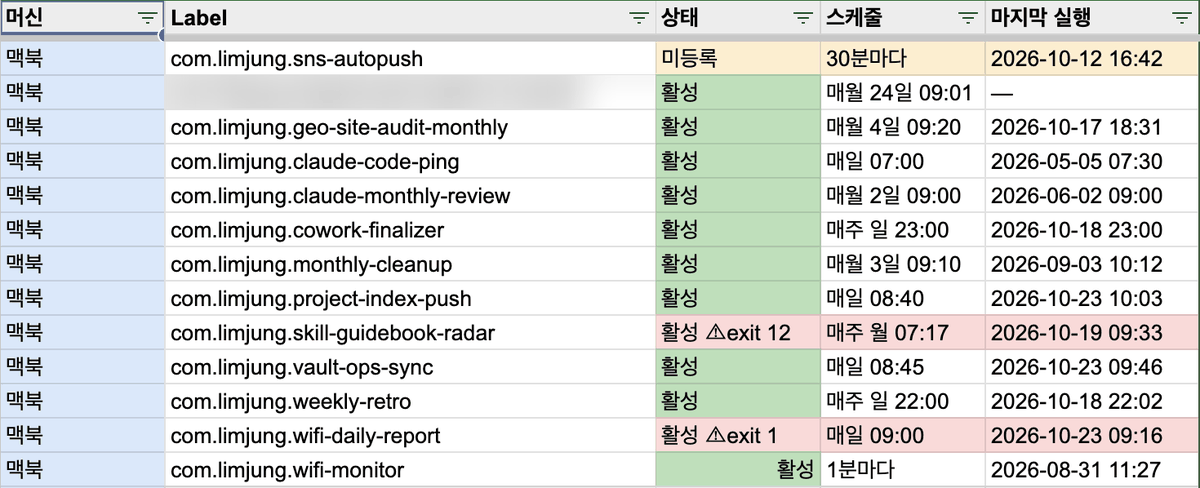
I don’t keep the 69 in my head. Every day, I scan both computers and collect everything into one Google Sheet.
If you’re new to servers, start with What is a server?. To connect to your home Mac mini from outside, see how to use Tailscale.
2. The first automations were built with n8n
I built my first automations with n8n. They covered household bookkeeping, government-run startup support programs in South Korea, and weekend festivals and events for parents with young kids.
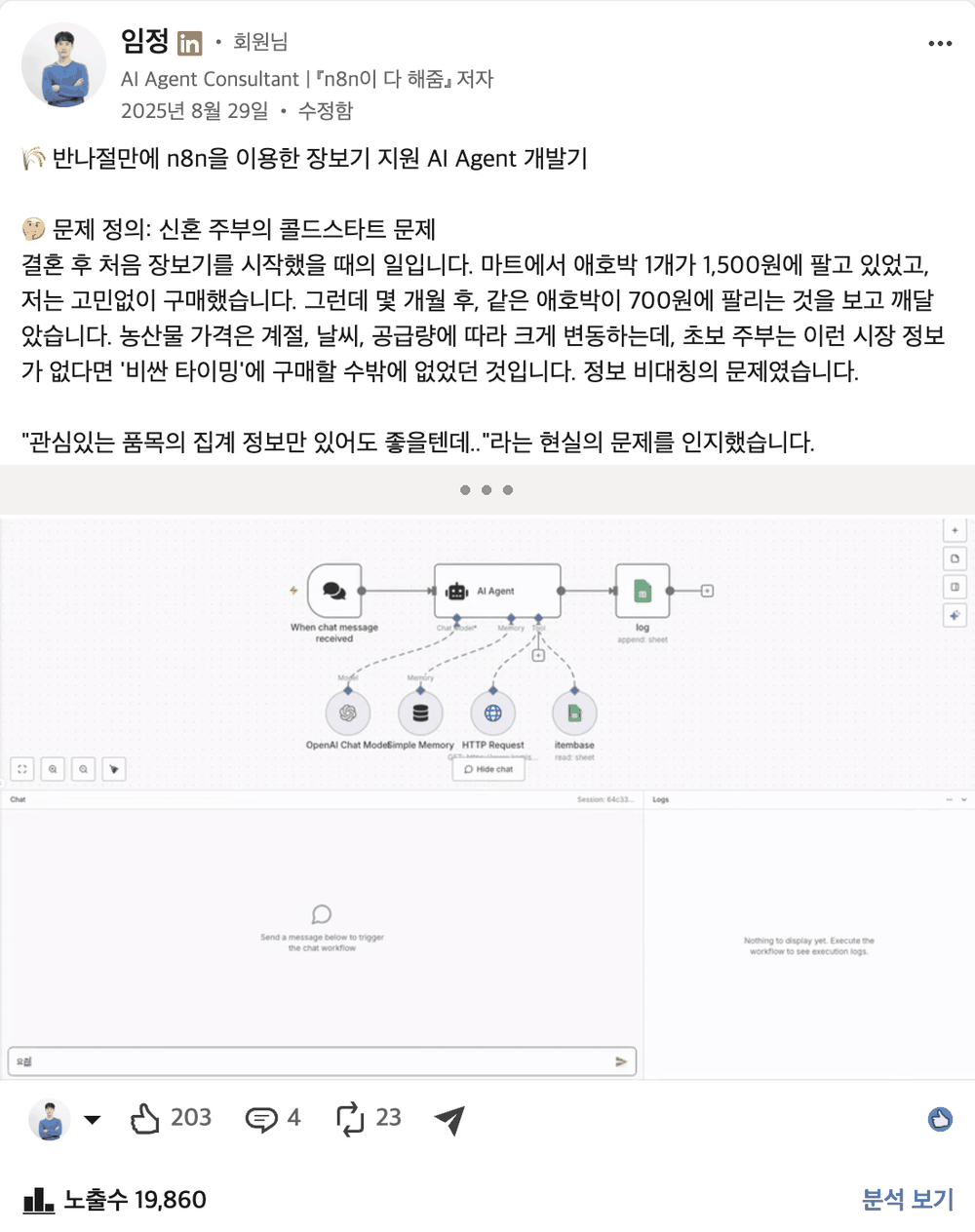
One of them was a chatbot to help with grocery shopping. I built it in half a day by connecting farm produce price data to n8n’s chat node and AI agent node. It started from this thought:
“I’d be happy with just aggregate information on the items I’m interested in..”
(the author’s LinkedIn post, August 29, 2025)
3. Reading automations as five slots
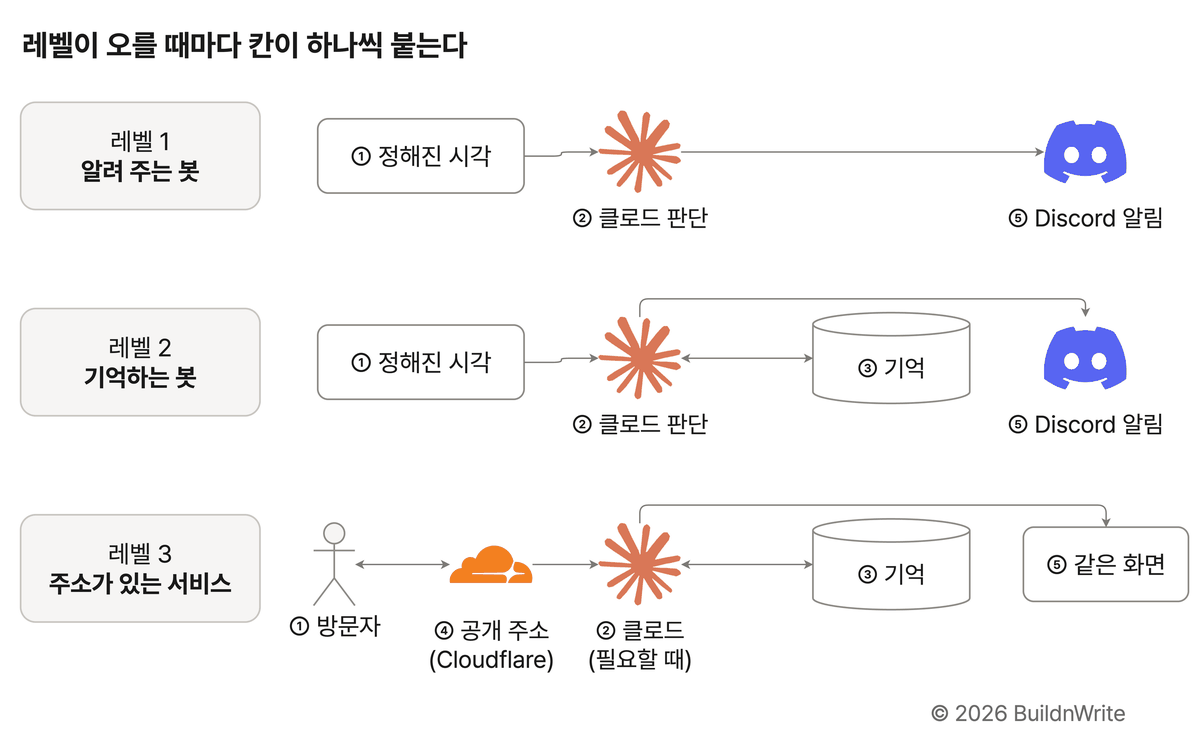
Automations look different from each other, but when you break them down, they split into five slots. I fill in these slots one at a time when I build something new.
| Slot | What it asks | What I use in my automations |
|---|---|---|
| ① Trigger | When does it start? | Fixed times, messages, emails, web form submissions |
| ② Claude | Who builds it and makes the judgment? | Chatting with Claude Code while building, claude -p while running |
| ③ Memory | Where is it stored? | Google Sheets, SQLite, Supabase |
| ④ Deploy | Is there an address others can reach? | Cloudflare |
| ⑤ Arrival | Where do I see the results? | Discord alerts, web page, sheet |
③ Memory and ④ Deploy are added only when needed. That’s why the number of slots filled in tells you the stage an automation has reached.
4. Level 3: slots added one at a time
Level 1: Instructor mentoring job radar
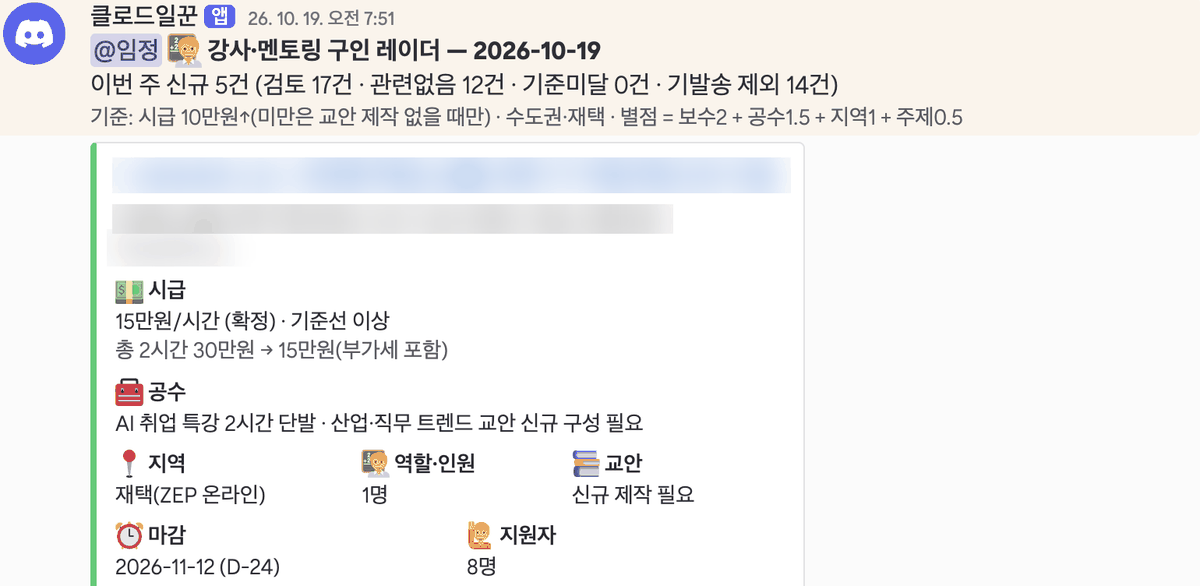
This is a bot that finds teaching gigs. Every Monday at 7:50 a.m., it collects postings from two job sites and drops any it has already sent. For each new posting, claude -p assigns a star rating, and Discord cards arrive in order from highest to lowest rating. It keeps only enough records to avoid sending the same posting twice.
Level 2: Automatic expense sorting and a family Discord assistant
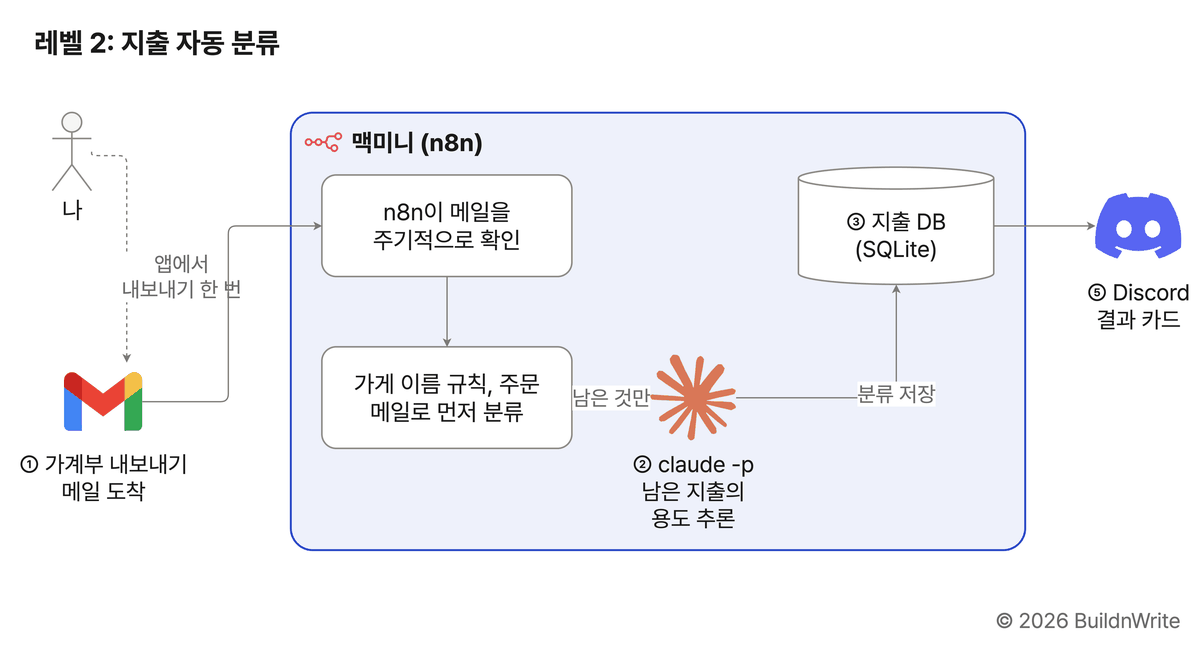
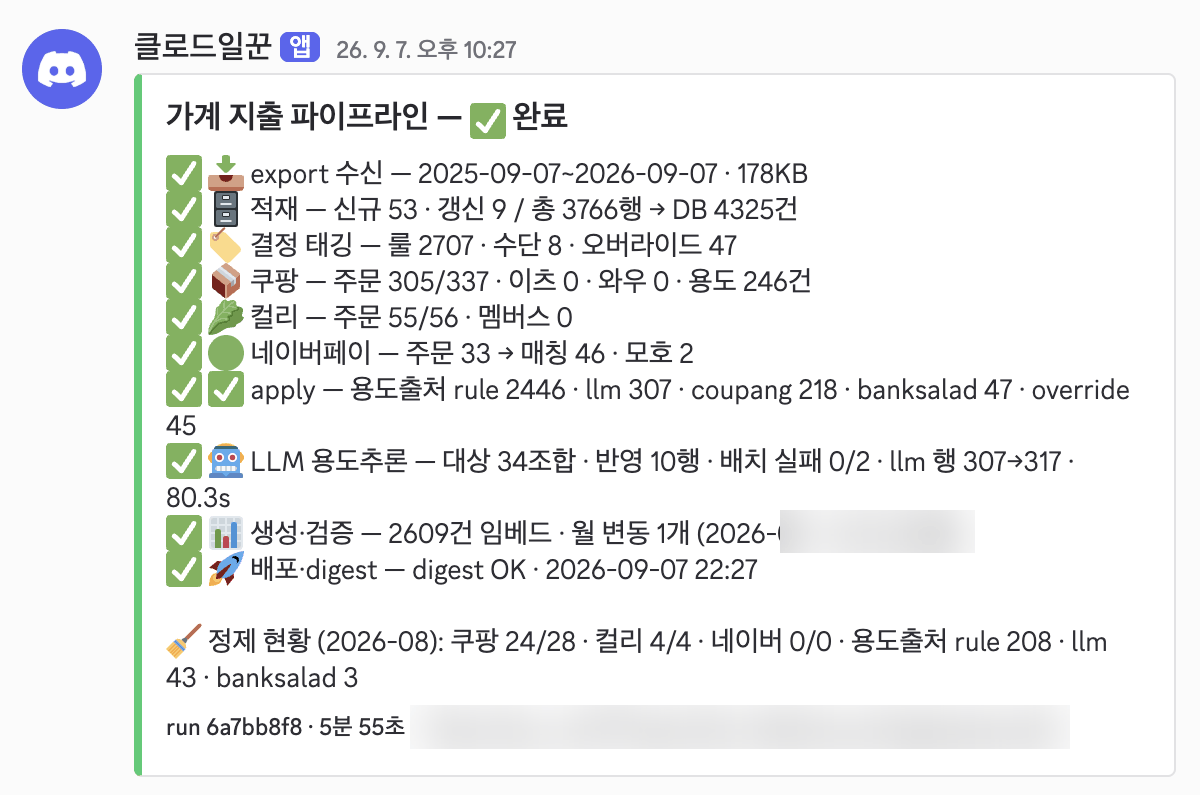
For expense sorting, I press the export button once in my household ledger app, and the Mac mini handles the rest. It sorts by store-name rules and shopping-mall order emails first. Only the expenses left over go to claude -p, which infers their purpose.
The family Discord assistant works like this: when family members post a message in Discord, a program that stays running on the Mac mini picks it up and writes a reply with claude -p. Conversations are stored in SQLite, and past chats can be searched when needed.
Level 3: Writing feedback site and homepage inquiry form
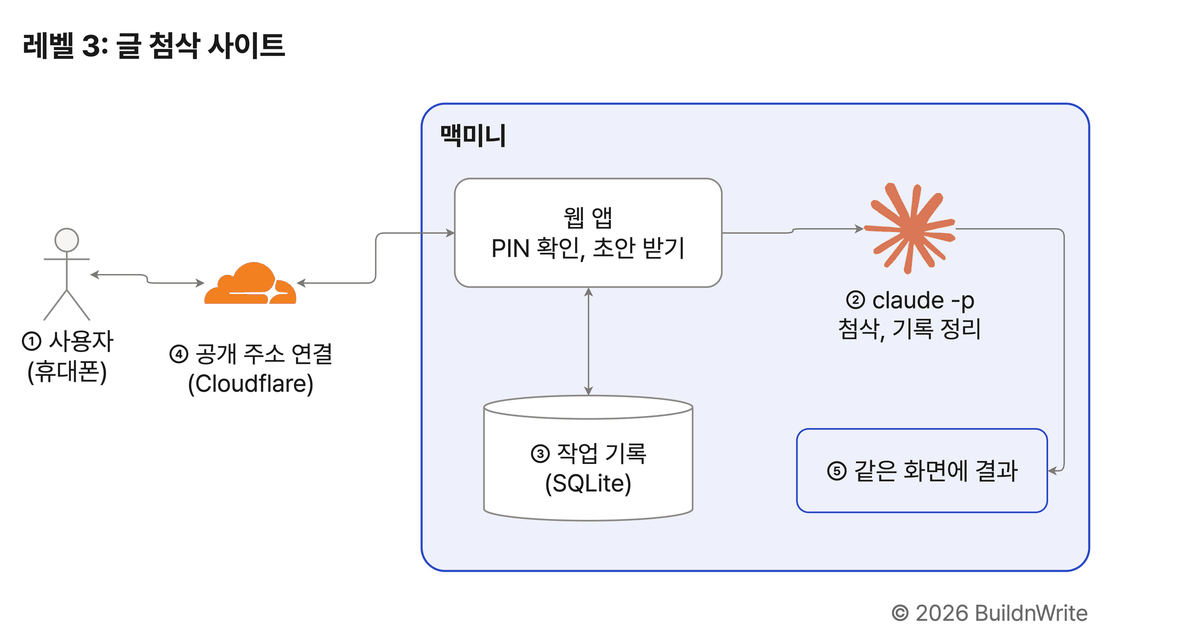
The writing feedback site is one where a single user comes in from a phone. It runs on the Mac mini, but I connected a public address through Cloudflare. The moment someone else visits, the ④ Deploy slot turns on.
The homepage inquiry form is the case where the memory slot lives outside the Mac mini. When a visitor submits an inquiry, a row is added to an inquiry table in Supabase, and after saving, n8n sends me a notification. Claude isn’t involved in this flow, and the result comes to me as a notification rather than on the same screen.
5. Maintenance matters more than building
I don’t build everything from scratch, either. For things Notion or Google Sheets can already handle, I keep using them. I split the rest between work a home server is enough for and work that needs a commercial service like Supabase.
| Memory slot | Nature | Examples from my automations |
|---|---|---|
| Google Sheets | A list people look at and edit by hand | Work waiting list, automation list |
| SQLite | A file-based database inside one computer | Expense database, assistant’s conversation memory |
| Supabase | A database on the internet | Homepage inquiry form |
I move things to Supabase when several people write at the same time, when login is required, or when a web page without a server needs to read the data directly.
I’ve also retired some automations.
- Photo migration bot: After moving 43,615 OneDrive photos to Google Photos, it still had no stop condition. It kept retrying the remaining files every 5 minutes and ran for 39 hours without progress before it stopped.
- Multiple weekly cards: Retrospective cards that used to arrive separately on Monday morning and Sunday night were merged into a single Monday weekly report card.
6. A first automation to try tomorrow
69 isn’t a small number, but it will keep growing. If you’re starting out, I suggest beginning with one Level 1 automation: a bot that collects web data with Claude Code and sends the results to you on Discord.
- Install Claude Code: Installing the Claude Code CLI
- Create an address to receive Discord alerts: Creating a Discord webhook
- To run it at a fixed time, you need a computer that’s on at that time (see section 1)
BuildnWrite helps teams build AI agents that keep running. About BuildnWrite ›