AI Agent Apps Compared: Claude Cowork, ChatGPT Work, Gemini Spark, Grok Bot, Meta Muse
Who this is forOffice workers who use ChatGPT every day but can't tell how AI agents differ or which app would actually cut their repetitive work.
TL;DR: All five companies released apps that operate your computer and browser for you, but only Claude and ChatGPT can be paid for and used in Korea today. I put the five side by side in one table and recorded what happened when I gave the same errand to Claude and ChatGPT. If you already pay for one of them, start there. If not, look at Claude or ChatGPT Work first.
Contents
- How chatbots and agents differ
- The five at a glance
- Which one to pick for which situation
- Claude Cowork: merging into chat
- ChatGPT Work: choose chat, work, or coding in one app
- Gemini Spark, Grok Bot, Meta Muse: not yet in Korea
- Trying it: the same errand in two apps
- Wrap-up
If you ask ChatGPT “summarize this document,” you get a summary. But what if you say “go to our blog and organize the five most recent posts into a table”? The apps released this year actually go to the site and do that second kind of request. This post picks one app from each company, puts them in the same table, and records what happened when I gave two of them the same errand.
1. How chatbots and agents differ
Think of two friends. One answers your questions well. The other, when you say “go to the convenience store and buy milk,” actually goes. A chatbot is the first friend, and an agent is the second.
The errands an agent app handles come down to three things:
- Operating the browser for you: going to sites, reading them, clicking, and organizing what it finds into tables.
- Handling files and documents: reading PDFs and spreadsheets on your computer, and creating documents and slides.
- Scheduled runs: you say “do this every Monday morning,” and it runs by itself at that time.
2. The five at a glance
Each company has several products, so this post picks one per company that an ordinary office worker can install and start using right away. Coding tools (Claude Code, the Codex app, and Antigravity) are left out.
| Company | Product | Install form | What it does for you | In Korea | Pricing |
|---|---|---|---|---|---|
| Anthropic | Claude Cowork | Mac, Windows, Linux, and ChromeOS apps (web and mobile in beta) | File organizing, writing documents and slides, operating the in-app browser, scheduled runs | Yes | Pro from 20 US dollars a month |
| OpenAI | ChatGPT Work | Mac and Windows apps + in-app browser | Completing documents and sheets with connected apps and files, operating the browser, scheduled runs | Yes | Plus from 20 US dollars a month |
| Gemini Spark | Mac and Windows apps | Connects Gmail and Docs, reads local PDFs, handles recurring tasks | Ultra only; Pro is US only | Google AI Pro, Ultra | |
| xAI | Grok Bot | Mac, Windows, and Linux apps + mobile | Operating the browser and files on one cloud computer per account, saving routines | Not confirmed | Included in SuperGrok or paid Cursor plans |
| Meta | Meta Muse | iPhone, Android, web, and inside WhatsApp too | Email, bookings, and form filling on a cloud computer | US only | Mostly free |
Prices and countries in the table are based on official documentation as of September 21, 2026. “Not confirmed” means I could not find an official country list.
3. Which one to pick for which situation
Here is the conclusion first. The sections below are the basis for this picture.
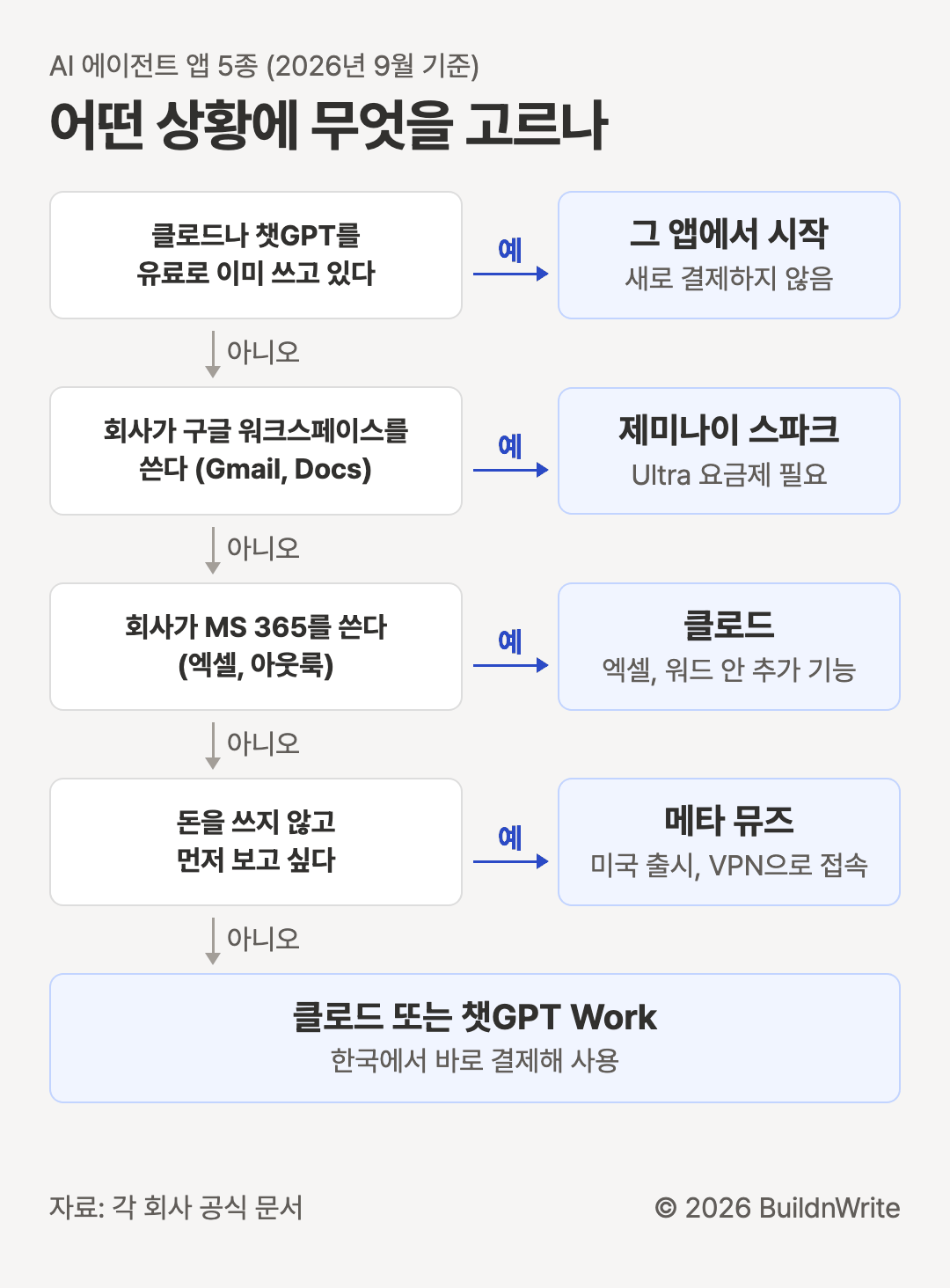
Three things the diagram doesn’t capture:
- If work needs to keep running after you close your laptop, all five can do it. In Korea, the cloud browsers in Claude and ChatGPT Work fill that role.
- If your company uses MS 365 (Microsoft 365), Claude has add-ins that run inside Excel and Word.
- Meta Muse officially launches in the US. In Korea, you need a VPN (a service that routes your connection through another country) to use it.
4. Claude Cowork: merging into chat
Claude Cowork was the “make it do the work” mode that lived separately in the desktop app. In a September 16, 2026 announcement, Anthropic said it would merge chat and Cowork. Now Claude opens files and visits sites on its own, without you picking a mode. The change rolls out in stages over several weeks, starting with the Pro and Max plans.
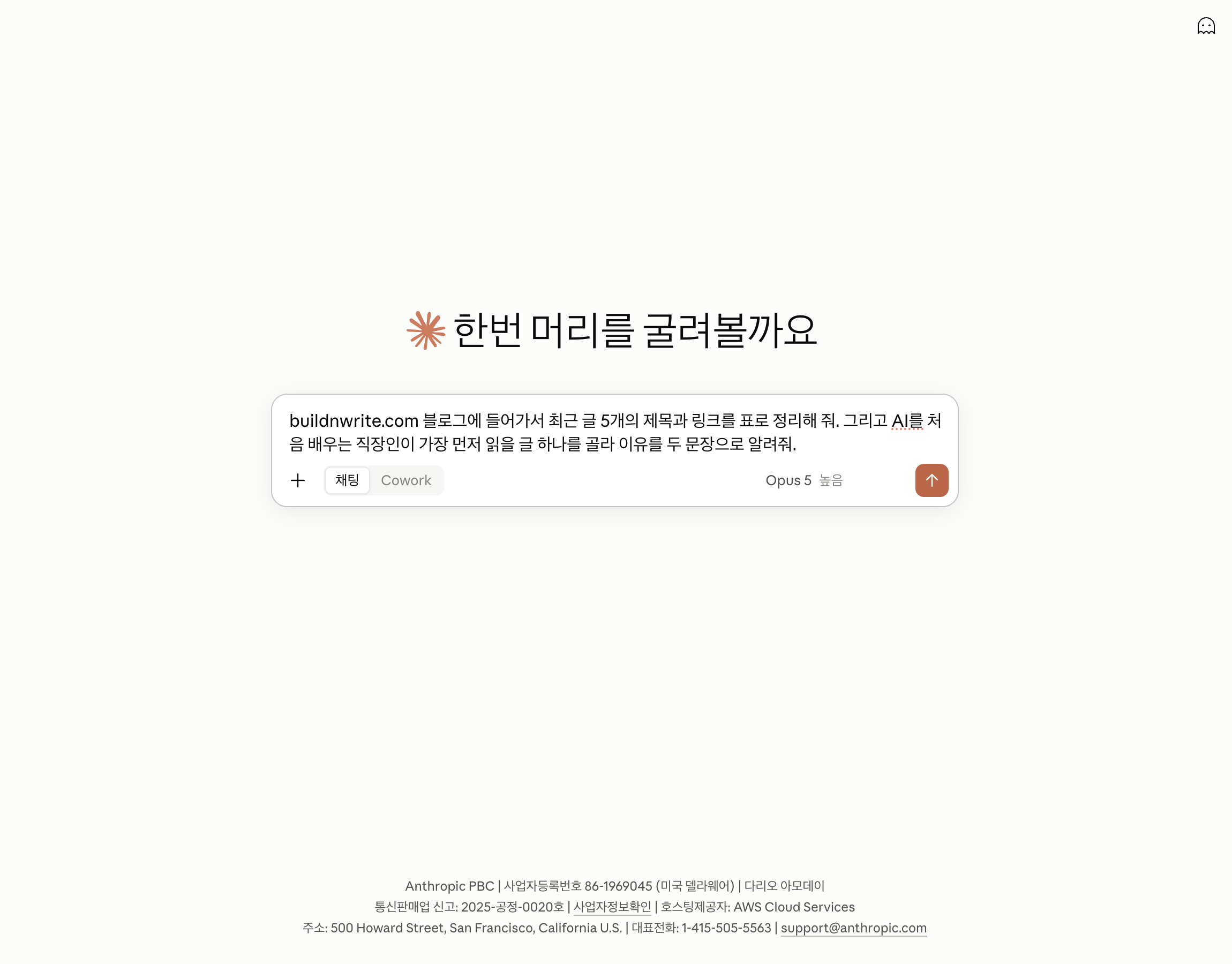
Here is what it can do, according to the official product page:
- Reads and organizes folders on your computer, and creates documents, tables, and slides.
- Has a separate browser inside the app, so it opens sites without touching your own Chrome. If you want, you can have it control your Chrome tabs directly with a Chrome extension (Claude in Chrome).
- Keeps work going after you close your laptop, and you can schedule recurring tasks by day, week, or month.
- Computer use, which is in beta, clicks directly in apps outside the browser.
There is no free plan; it starts at Pro, 20 US dollars a month. Korea is on the official supported-countries list.
5. ChatGPT Work: choose chat, work, or coding in one app
ChatGPT Work is a work agent OpenAI released on July 9, 2026. In one desktop app, you choose among chat, Work, and Codex for coding. The official help article says the earlier Operator can no longer be used.
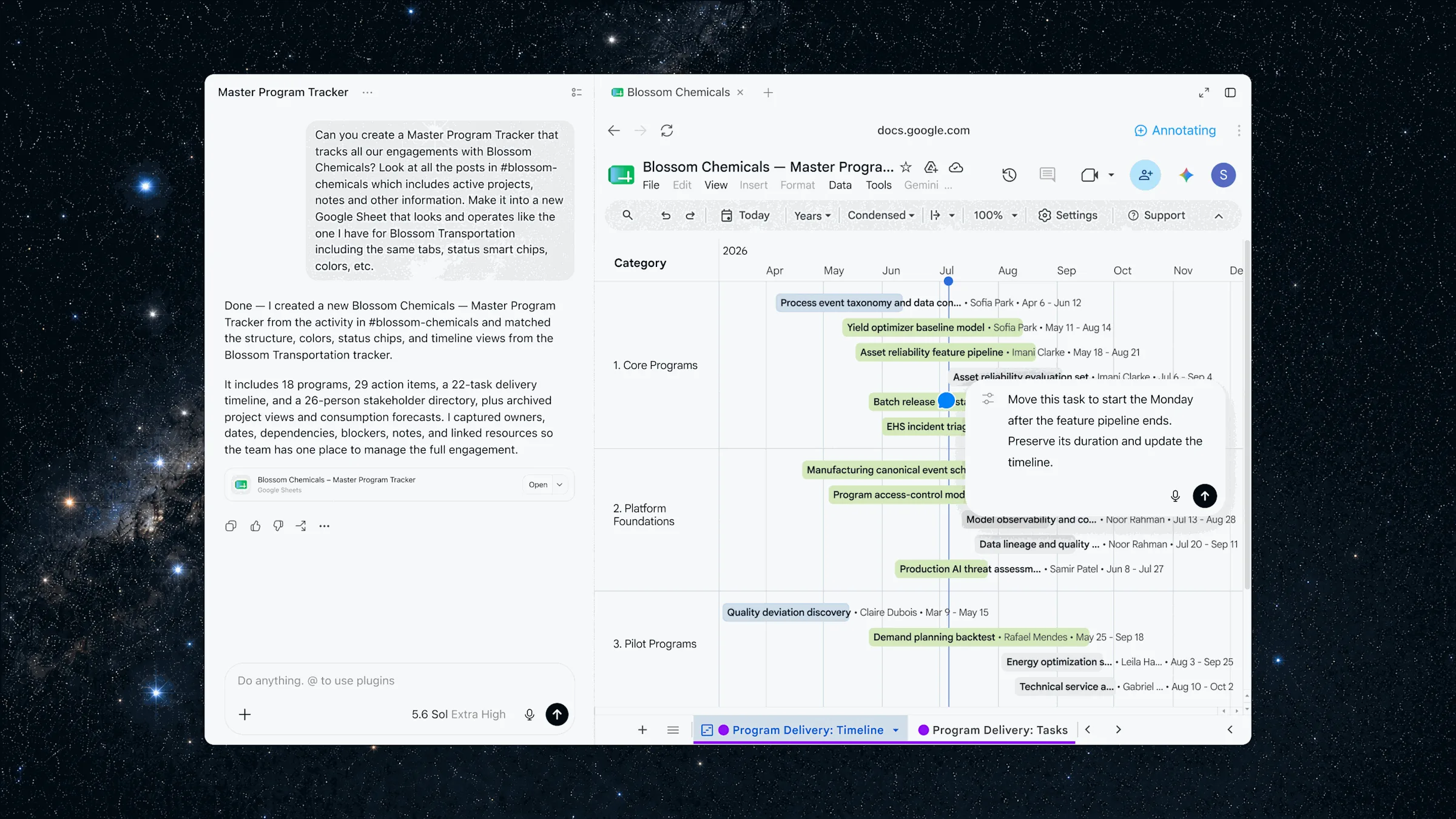
The in-app browser is similar to Claude’s, but ChatGPT puts its weight on connecting work tools such as Slack and Google Sheets as plugins and moving between them. When it needs a login, it stops and waits for you. With a cloud browser, work keeps going after you close your laptop. Scheduled runs are available under the name Tasks.
Pricing is for paid plans only. For individuals, Plus at 20 US dollars a month is the minimum. Korea is on the official supported-countries list.
I found that ChatGPT Work is far better at editing Google Docs than plain chat. (translated)
6. Gemini Spark, Grok Bot, Meta Muse: not yet in Korea
These three share a direction. You give the AI a dedicated computer, and it keeps working there even when your laptop is closed. But they are hard to use in Korea today.
Gemini Spark is a 24-hour personal agent that Google announced on May 19, 2026. It connects to Gmail and Docs and can analyze credit card statements or turn meeting notes into documents. According to the update history, from July 14, 2026 the Ultra plan opened in most countries, while the Pro plan is open only to US English users. In Korea, that means you need Ultra to use it.
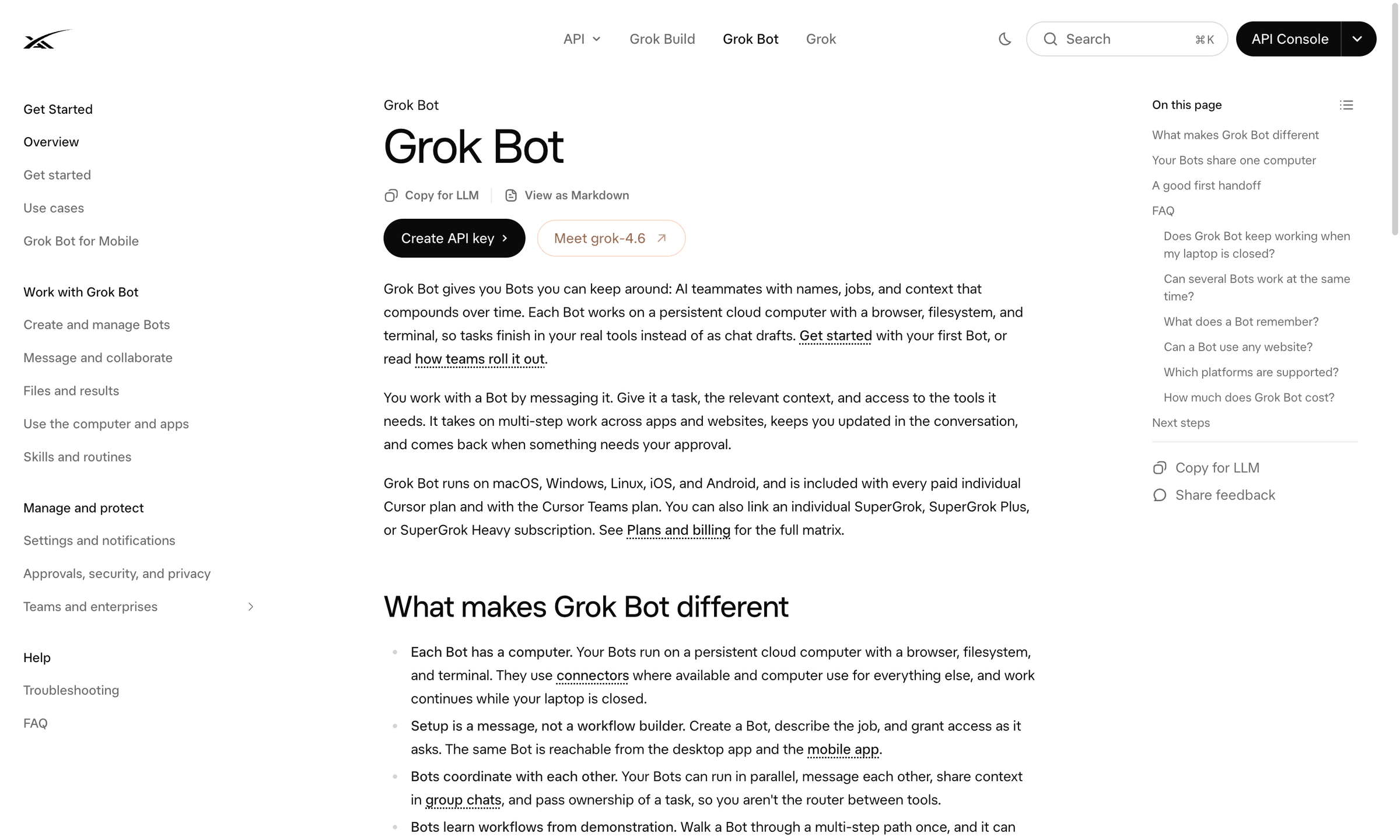
Grok Bot is a product xAI released in beta on August 11, 2026. You give each bot a name and a role and run several at once, and the bots share one cloud computer per account. It’s included in SuperGrok subscriptions and paid Cursor plans. I could not find a country-by-country launch list in the official docs, so Korea is marked as not confirmed.
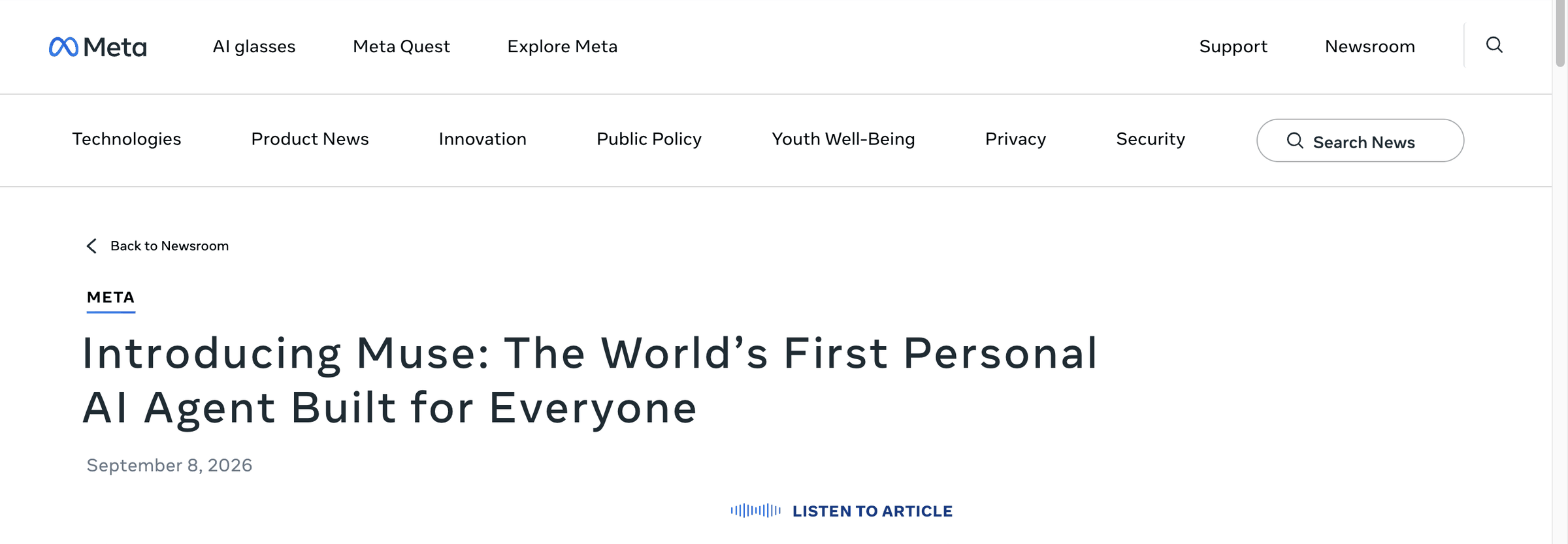
Meta Muse is a personal agent Meta released in the US on September 8, 2026.
- Works on iPhone, Android, and the web, and can be called directly inside WhatsApp.
- Handles sending email, booking trips, and filling out forms.
- Mostly free, with a paid subscription for people who want more.
- The announcement lists only a US launch, so there is no Korea schedule.
| Item | Gemini Spark | Grok Bot | Meta Muse |
|---|---|---|---|
| Launch | May 2026 | August 2026 beta | September 2026 |
| AI computer | Google Cloud | One per account, shared by bots | Dedicated virtual computer (Muse Secure VM) |
| Korea | Ultra only | Not confirmed | Not launched |
| Price | AI Pro, Ultra | Included in SuperGrok and Cursor paid plans | Mostly free |
The word that keeps coming up in reviews is “impressive but still early.”
The most impressive and also the scariest AI experience I’ve had. (translated, Gemini Spark)
The concept is good, but wow. It’s still very early. (translated, Grok Bot)
7. Trying it: the same errand in two apps
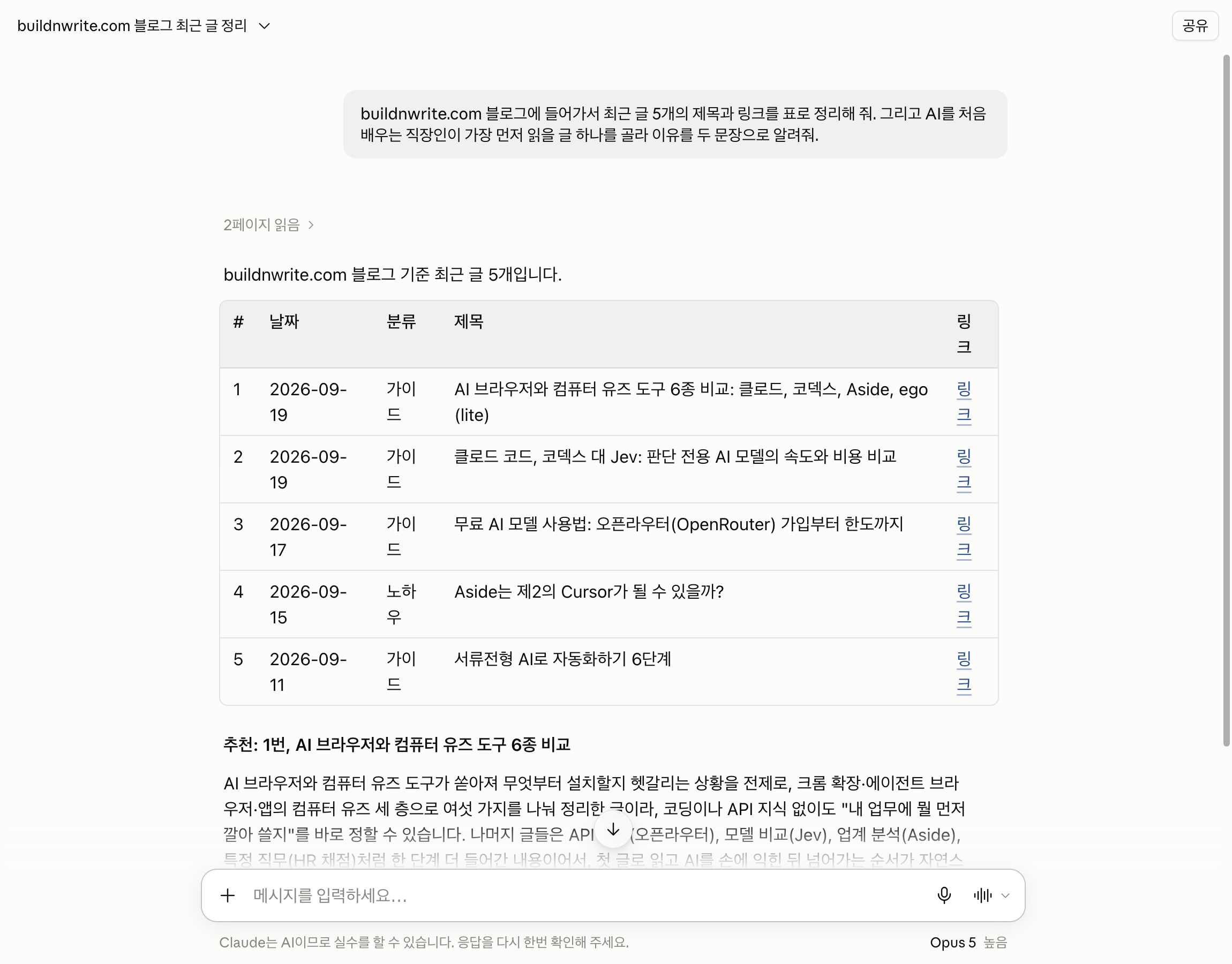
I gave Claude and ChatGPT, the two you can use in Korea today, the same request. The request is one sentence.
Go to the buildnwrite.com blog and organize the titles and links of the five latest posts into a table. Then pick one post that an office worker just starting to learn AI should read first, and tell me why in two sentences.
| Item | Claude | ChatGPT Work |
|---|---|---|
| Time taken | About 1 minute | 34 seconds |
| Site access | Read 2 pages of the site directly | Found via web search |
| Table columns | Number, date, category, title, link | Date, title (with link) |
| Recommended post | The same post | The same post |
| Human intervention | None | None |
Both recommended the same post, and no one had to step in. The difference is two things. Claude went into the site directly, read 2 pages, and added a category column on its own. ChatGPT searched the web instead of visiting the site, and produced a shorter table. That is also why it finished faster, in 34 seconds.
8. Wrap-up
This post also left some things out. Coding apps such as Claude Code, the Codex app, and Google’s Antigravity were covered in the previous post. That same post also covers Chrome extensions and AI browsers that only operate the browser.
Frequently asked questions
- Which AI agent apps can be paid for and used in Korea today?
- Only Claude and ChatGPT can be paid for and used in Korea today. Meta Muse launched in the US, and no official Korea launch was found for Grok Bot.
- Do Claude and ChatGPT Work keep running after you close your laptop?
- Yes. Both use a cloud browser that keeps working after you close your laptop. The post says these two cover this role in Korea.
BuildnWrite helps teams build AI agents that keep running. About BuildnWrite ›