ChatGPT dots Guide and First-Day Review: Compared With Grok Bot and Meta Muse
Who this is forProfessionals who already pay for a ChatGPT subscription and want a personal AI agent they can hand work to.
TL;DR: ChatGPT dots (OpenAI dots) is a personal AI agent you can create even if you don’t know how to run a server. I recommend it to people who already pay for ChatGPT Pro or want an agent that works 24/7 without a server of their own. Plus users can wait or give it a quick try. Below I cover the setup steps and where to find the permission settings, supported by my record of handing a document review to it on day one and a comparison with Grok Bot and Meta Muse.
Contents
- What Is ChatGPT dots?
- Which One to Choose in Each Situation
- How to Use ChatGPT dots: Setup and First Screen
- What I Had It Do on Day One
- What to Check in dots Permission Settings
- What “Unlimited” Really Means
- ChatGPT dots, Grok Bot, and Meta Muse Compared
- What People Who Tried It Said
- Frequently Asked Questions
On September 29, 2026, OpenAI announced dots at its developer event, DevDay. It is a personal agent that you name and hand work to. The product is called dots, and each agent you create is called a dot. I wanted to know whether it works in Korea and what it can do, so I turned it on for the first time on October 1, three days after launch. Below, in order, are how to turn it on, where the permission settings are, and what I had it do on the first day.
1. What Is ChatGPT dots?
A dot is a personal agent that lives inside ChatGPT. It differs from regular chat in three ways.
- It has a dedicated cloud computer and browser. Work continues there even when my laptop is closed.
- It keeps track of the goals I give it after the conversation ends, and it messages me first when there is something to report.
- It reads apps connected through plugins (email, Drive, and so on) and creates documents from them.
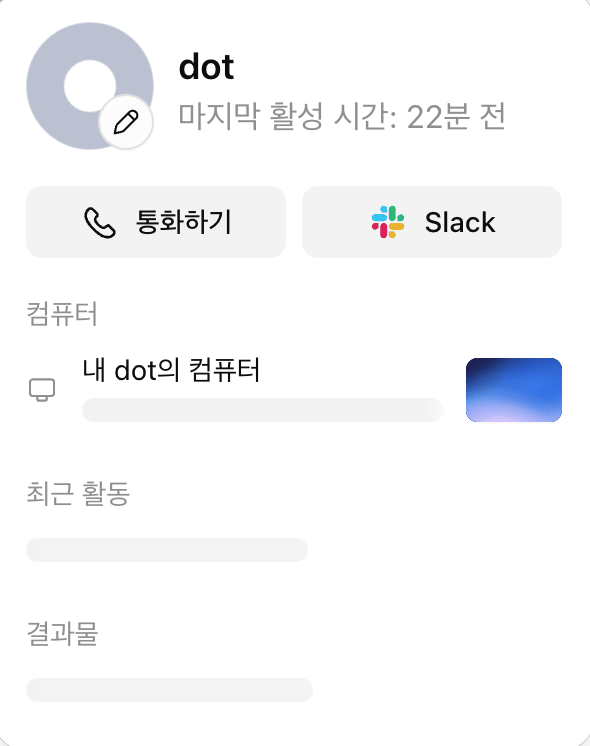
To build an always-on agent like this yourself, you would need to leave a computer running at home or rent a server. dots has OpenAI operate that computer for you. The underlying model is GPT-6 Astra.
There are already two similar products: Grok Bot from xAI and Muse from Meta. The basic descriptions of both are in the AI agent apps compared post. This post focuses on how to turn on dots and on my hands-on record.
2. Which One to Choose in Each Situation
Here is the conclusion up front. The sections below are the basis for this picture.
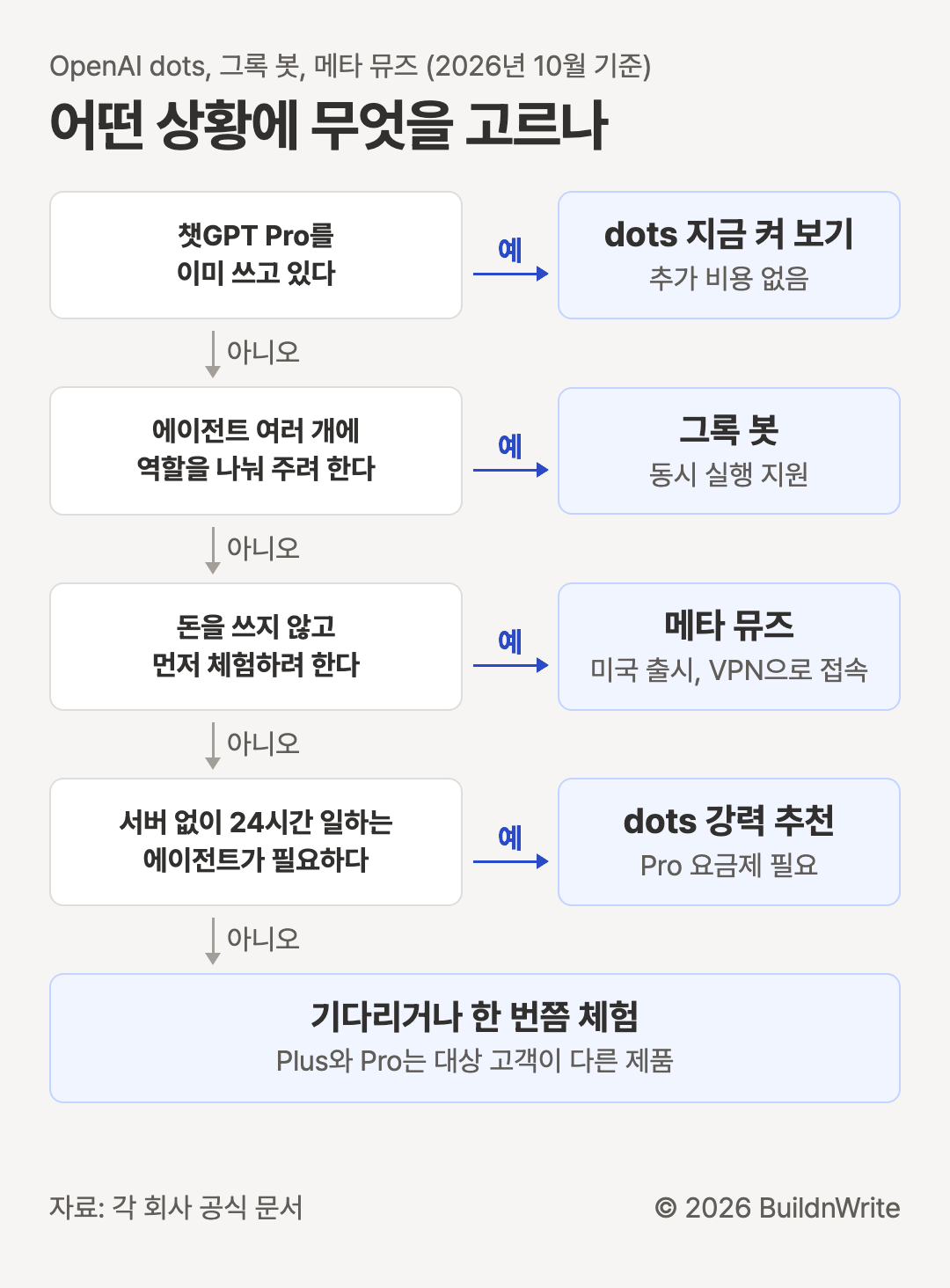
The flowchart does not cover three cases.
- If you want to hand work directly from a company Slack or Teams, dots is the choice. dots is the only one confirmed in official documentation to do this.
- If you need results as diagrams or tables to make judgments, it is still a bit lacking. Its answers are mostly text.
- Meta Muse officially launched in the US. In Korea, you need to connect through a VPN to use it.
If you already have an agent environment set up yourself, as I do, dots is not strictly necessary. Still, it is worth trying now, because conversations with a dot do not count toward usage limits.
3. How to Use ChatGPT dots: Setup and First Screen
According to the official guide and the pricing guide, a dot is available on the Pro plans ($100, $200, and $500 per month), Business Premium, and Enterprise. Pro excludes the European Economic Area, the UK, and Switzerland. No sentence directly mentions Korea, but on my Korean Pro account, “My dot” appeared as of October 1.
Creating one takes a few steps.
- Open ChatGPT in a desktop browser or the desktop app. You cannot create one on mobile.
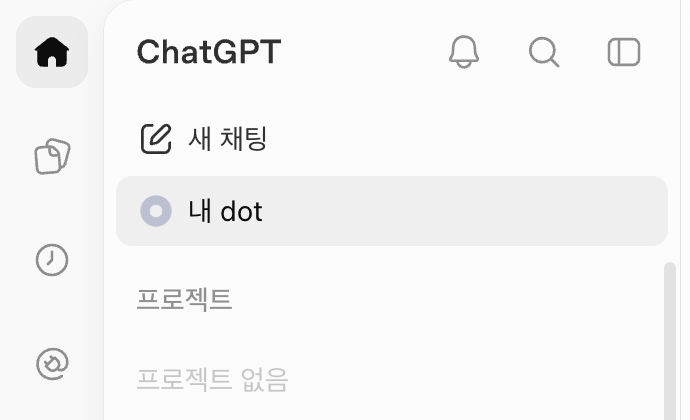
- Click “My dot” in the sidebar.
- The dot greets you and asks you to name it.
- Connect apps such as email, calendar, or files. According to the getting started guide, you can skip this and do it later.
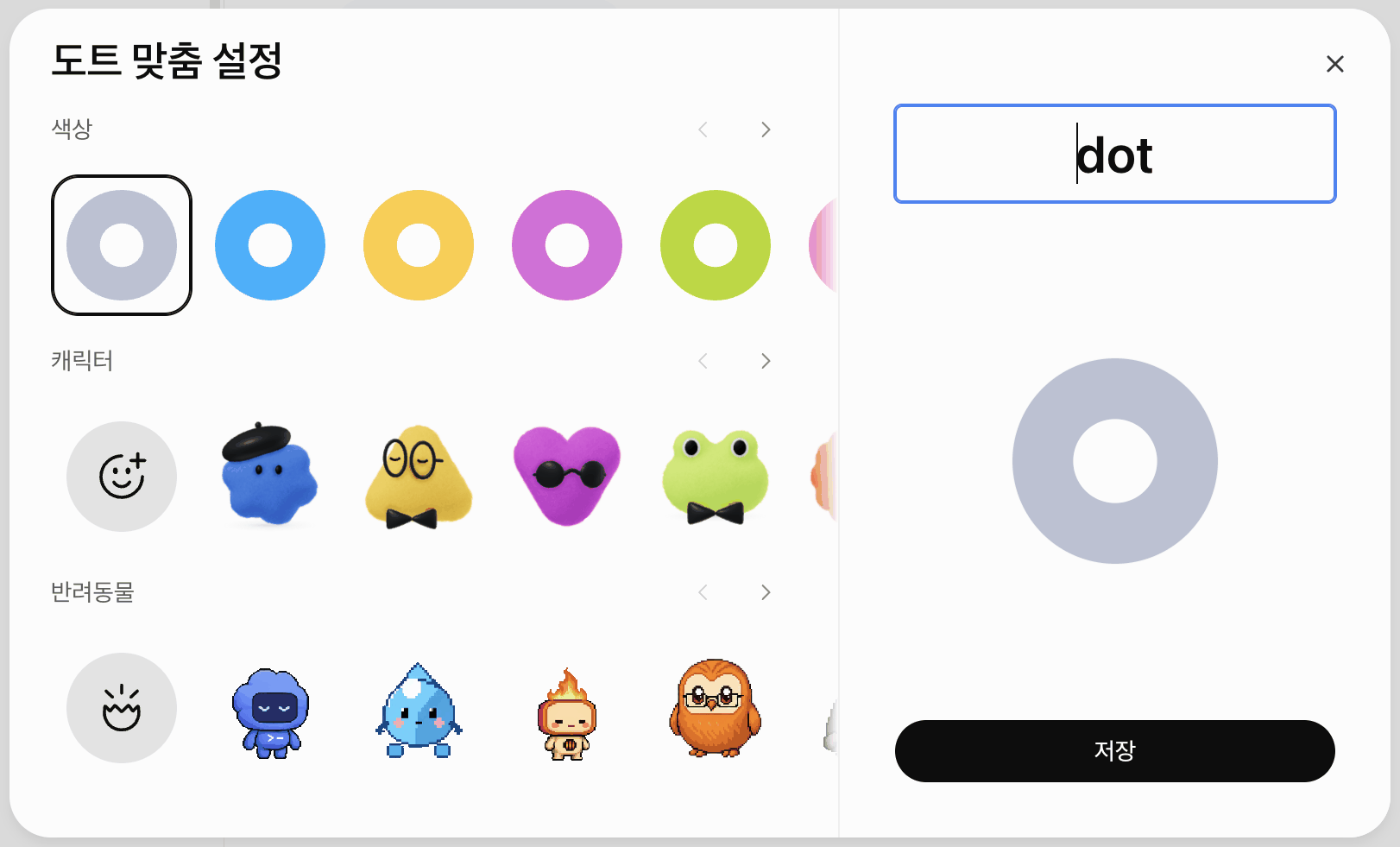
- If you want, choose a color, character, and nickname under “dot customization.” You don’t have to.
Connecting apps is done through plugins. The steps below are not the ones I went through myself. They are the steps listed in the plugins documentation.
- In the plugin directory, find the app you want to use (Gmail, Google Drive, and so on) and open its detail page. On my account, Settings > Plugins had a Browse directory button; the Korean UI labels it differently.
- Install it with the plus button.
- If a login request appears, connect your account. The request may appear during installation or the first time you use the app.
The app connection guide explains that a dot uses plugins you have installed and connected to your account, and that you can set its scope separately, for example letting it read email but not send it.
There are also constraints at launch. According to the help article, you can have one dot per person, and a dot cannot place a call first. Calls only go one way, from you to your dot.
4. What I Had It Do on Day One
When I first opened dot, before I had asked for anything, it had found three “tasks it could take off my plate.” It had read recent requests in my connected email to pick these. I chose one and handed it over as is.
| Step | What I did | What the dot did |
|---|---|---|
| 1 | Opened the dot | Suggested three possible tasks from my email |
| 2 | Chose item 3 | Read the target email and two attached files |
| 3 | Asked for a judgment | Gave three points to improve, with reasons |
| 4 | Waited | Compared against earlier emails and flagged an explanation that no longer matched |
| 5 | Checked | Drafted a reply without sending it |
The task was reviewing an evaluation document for a hiring project I was working on. The dot did not look only at the attachments. It also compared them against earlier emails we had exchanged. It pointed out that an explanation left in the document no longer matched a setting that had changed later.
It also gave me one notification I had not asked for. It found an email about my storage plan that was about to expire and warned me that this could affect sending and receiving email.
5. What to Check in dots Permission Settings
If a dot reads my email and brings back tasks, that means it can see into my account. The official documentation divides a dot’s behavior rules into four levels.
| Step | What the dot does |
|---|---|
| Runs without asking | Handles things right away within the defined scope |
| Runs with prior approval | Acts only when I explicitly asked it to take that action |
| Confirms before running | Asks every time before acting |
| Hands off to the user | Does not act and passes the task to a person |
Sensitive actions, such as changing a password, always stay with a person, regardless of these rules. The documentation says that when a dot researches something on its own, it uses only read-only tools. Access to my computer is optional and turned off by default. The help article says the rules are set under Custom rules in the dot’s customization settings.
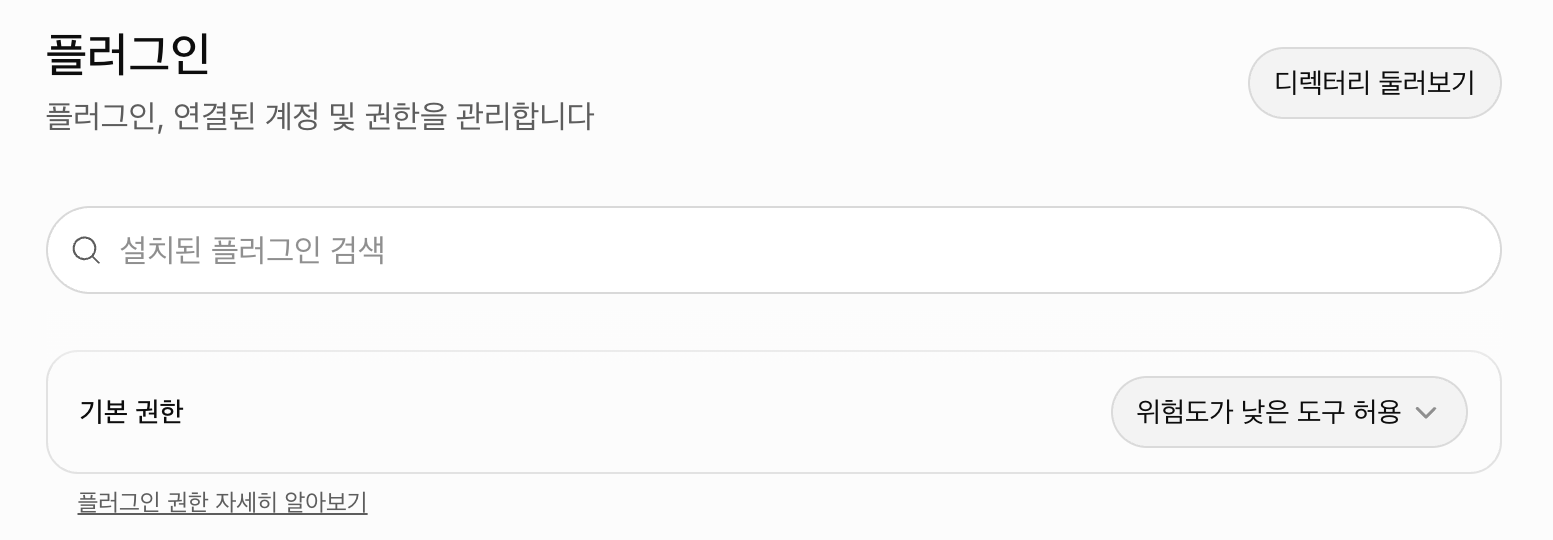
There are three places to check in settings.
- Settings > Plugins: connected accounts and default permissions
- Settings > Cloud computer: cookies the dot has saved for login, and per-site permissions
- Dot profile panel > Computer: the connection status of the dot’s computer
A user on Hacker News described the opposite kind of frustration: with broad instructions, the permission screen’s checker sent the rules back. See this post.
For a first task, “read and summarize” works best. Examples are picking the emails that need a reply or reviewing material you received. These are tasks where you check the result before using it yourself. Start with permissions closed for anything that cannot be undone, such as sending or paying.
6. What “Unlimited” Really Means
People say “dots is unlimited,” but the official wording is different.
| Category | How it counts |
|---|---|
| Conversations with a dot | Not counted toward ChatGPT usage limits |
| Work or Codex tasks the dot runs | Counted as usual |
| First month after launch | Limits increased (not waived) |
In short, talking to a dot does not count against your limits. But when a dot runs Work or Codex to do that work, that usage counts against your limits as usual.
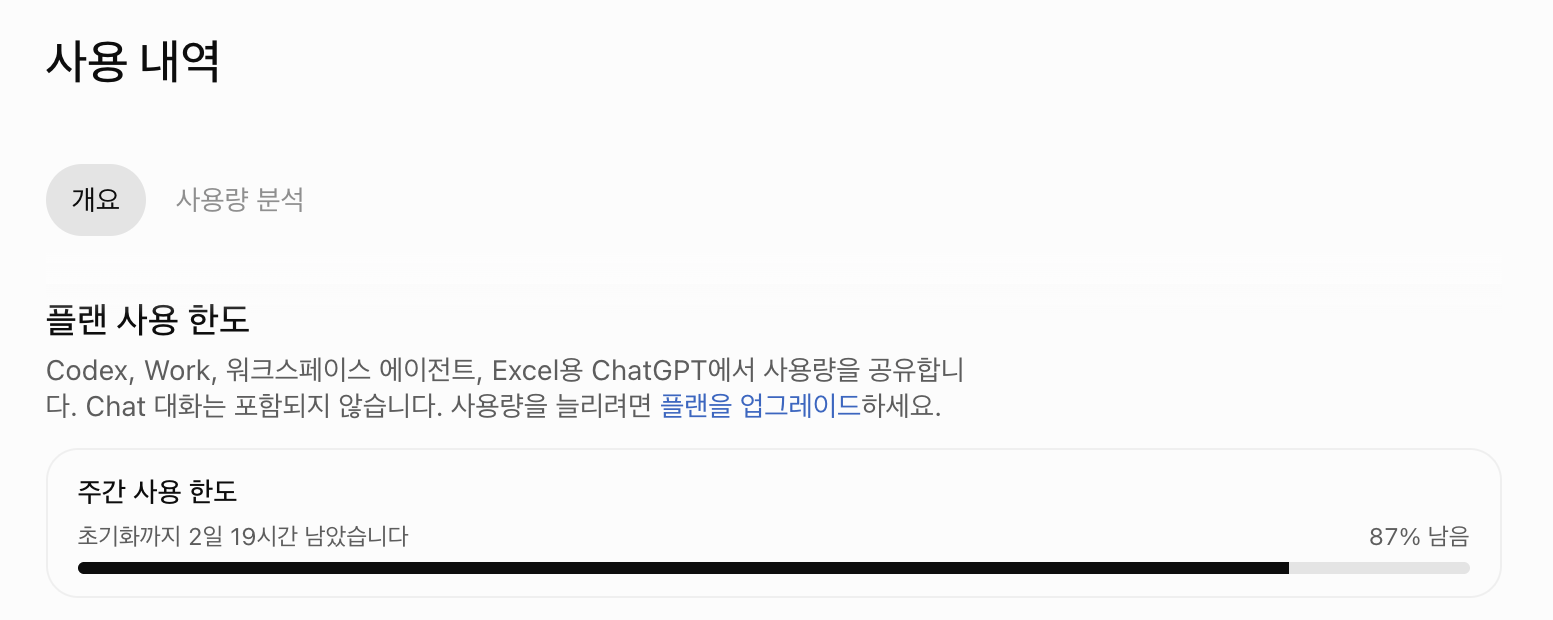
After I had a dot review a document on my account, I opened this screen and saw daily usage at 0%. However, the screen also said usage could be delayed by up to 6 hours, so I cannot conclude from this number alone that the limit did not drop.
On Reddit, others report the opposite. One comment says usage dropped as usual after using only dots. Another post says that asking about project progress once removed 14% of the subscription limit. The latter appears to be a case where the dot ran Codex in the background.
7. ChatGPT dots, Grok Bot, and Meta Muse Compared
All three products share the same structure: the agent is given a cloud computer. They differ in price, the countries where they can be used, and how you hand off work.
| Item | OpenAI dots | Grok Bot | Meta Muse |
|---|---|---|---|
| Launch | September 29, 2026 | August 11, 2026 (beta) | September 8, 2026 |
| Price | From $100 per month for Pro; no free tier | From $30 per month for SuperGrok or $20 per month for Cursor Pro | Free tier; paid at $20 and $100 per month |
| Where available | Pro excludes the European Economic Area, the UK, and Switzerland | No regional information | United States |
| Korea | Usage confirmed on my account | Not confirmed | Usable via VPN (official launch is US) |
| How you hand off work | ChatGPT app, voice calls, Slack, Teams | Dedicated desktop app, mobile app | Dedicated app, web, WhatsApp |
| Concurrent agents | 1 | Multiple | Not confirmed (docs describe one) |
| Computer | One dedicated | Multiple bots share one | One dedicated |
| Model | GPT-6 Astra | Not disclosed | Muse Spark |
| Payments | Set purchase rules | Payment confirmed by a person | Can pay, approved each time |
I checked the values in this table against each company’s official documentation on October 1, 2026.
- OpenAI: dots help
- xAI: Grok Bot documentation, plan expansion announcement, SuperGrok pricing, Cursor pricing
- Meta: Muse announcement, subscription guide
The flowchart in Section 2 turns the differences in this table into situations for readers.
8. What People Who Tried It Said
Over the three days after launch, I read the original posts of 20 dots reviews from Reddit, Hacker News, and newsletters. There were 10 negative, 8 positive, and 2 mixed. The most frequent topics were speed (7 mentions, one of them praising it as fast) and bugs (5 mentions).
| Tone | Summary | Source |
|---|---|---|
| Positive | Spent 15 minutes and got two hours’ worth of work | Platformer |
| Positive | Completed a job application from writing to submission and received a confirmation email | |
| Positive | Found an important email I had it watch, buried in spam | |
| Positive, negative | Too buggy to recommend yet, but I find myself reaching for dot first anyway | Every |
| Negative | Slow responses and no progress updates | |
| Negative | Does nothing more than the existing Codex and Work | |
| Negative | Five minutes from request to report; my own setup takes under one minute |
Experiences with the call feature varied.
- A Reddit review says it never worked once.
- A hands-on review says a conversation was continued by phone the next morning.
- Reporting says that in a call demo at the launch event, the dot took about 10 seconds to fail to respond.
One person who tried it side by side with Muse summed up the choice well.
For most people who aren’t into tech, I’d recommend Muse, but I’d pick dots. (translation)
All of these reviews come from the first one or two days after launch. The assessments of speed and bugs may reflect the early stage of the launch.
9. Frequently Asked Questions
Frequently asked questions
- Can I use dots with the ChatGPT Plus plan?
- As of OpenAI's official guidance on October 1, 2026, dots is available on the Pro plans ($100, $200, and $500 per month), Business Premium, and Enterprise. Plus is not included. If you are on Plus, wait for wider availability or try Pro for about a month.
- Can I use ChatGPT dots in South Korea?
- The official guidance does not mention Korea directly. The regions excluded from Pro are the European Economic Area, the UK, and Switzerland. On my Korean Pro account, I was able to create and use a dot on October 1, 2026.
- Are dots really unlimited?
- No. Conversations with a dot do not count toward ChatGPT usage limits. However, when a dot runs Work or Codex to get a task done, that usage counts against your limits as usual. In the first month after launch, limits were raised, not waived.
- Can I create a dot on my phone?
- No. You create a dot in ChatGPT on a desktop browser or the desktop app by clicking "My dot" in the sidebar.
- Can I create more than one dot?
- According to the help article at launch, you can have one dot per person. To split roles across several agents, Grok Bot is the better fit, since it can run multiple bots at the same time.
BuildnWrite helps teams build AI agents that keep running. About BuildnWrite ›