Do You Need to Install Git? Vibe Coding in the Claude Desktop Code Tab
Who this is forOffice workers starting vibe coding in the Claude desktop app's Code tab, and people who were told to install Git first and aren't sure they need it.
TL;DR: The Code tab works without Git. For today’s task, checkpoints are enough to rewind. If you’ll reopen and edit the result next week, install Git then.
Contents
- What is version control?
- The Code tab works without Git
- What do you lose without Git?
- Rewinding with checkpoints instead of Git
- When should you install Git?
1. What is version control?
As you edit a report, files like these pile up.
report_final.docxreport_final_really_final.docx
You keep copies so you can get back to yesterday’s version. Version control is a program doing that job for you.
- It doesn’t make copies. It keeps just one file.
- Instead, it marks a save point: “remember the current state.” This is a commit.
- Each commit gets a one-line note about what changed.
- You can return to any commit later.
2. The Code tab works without Git
You don’t need Git to start vibe coding (building programs by telling an AI what to do instead of writing the code yourself).
- Installing the Claude desktop app is enough to use the Code tab. The official getting started guide doesn’t include a Git installation step either.
- You don’t need to install other programs separately. Everything you need is included in the app.
- Windows is the same. The official setup guide lists Git on Windows as optional.
- If a window says Git is required as soon as you open the Code tab on Windows, your app is an old version. Updating the app to the latest version makes it go away.
3. What do you lose without Git?
You’re right. Without Git, there are no commits. You lose two things.
- Going back to an older state: You can’t return to “that version from last week.”
- Building together: You can’t merge changes your teammate made with yours.
On the other hand, “what Claude just changed by mistake” can be undone without Git. That’s what checkpoints are for, covered in the next section.
4. Rewinding with checkpoints instead of Git
Every time you send Claude a message, the Claude app saves how the files looked just before that. This is a checkpoint. It’s a feature described in the official checkpointing docs, and there’s nothing to turn on.
If Claude edits something wrongly, rewind it this way:
- Wait until Claude finishes its response. If you press the key while it’s still writing, only the response stops.
- Type
/rewindin the message box and press Enter. You can also leave the message box empty and press theEsckey in the top-left corner of the keyboard twice. - A rewind window opens (the Korean UI labels it differently), listing the messages you’ve sent so far.
- Select the message sent right before Claude made the wrong edit. This returns you to the state before that message was sent.
- If another prompt asks what to revert, choose the option that rewinds both the files (code) and the conversation.
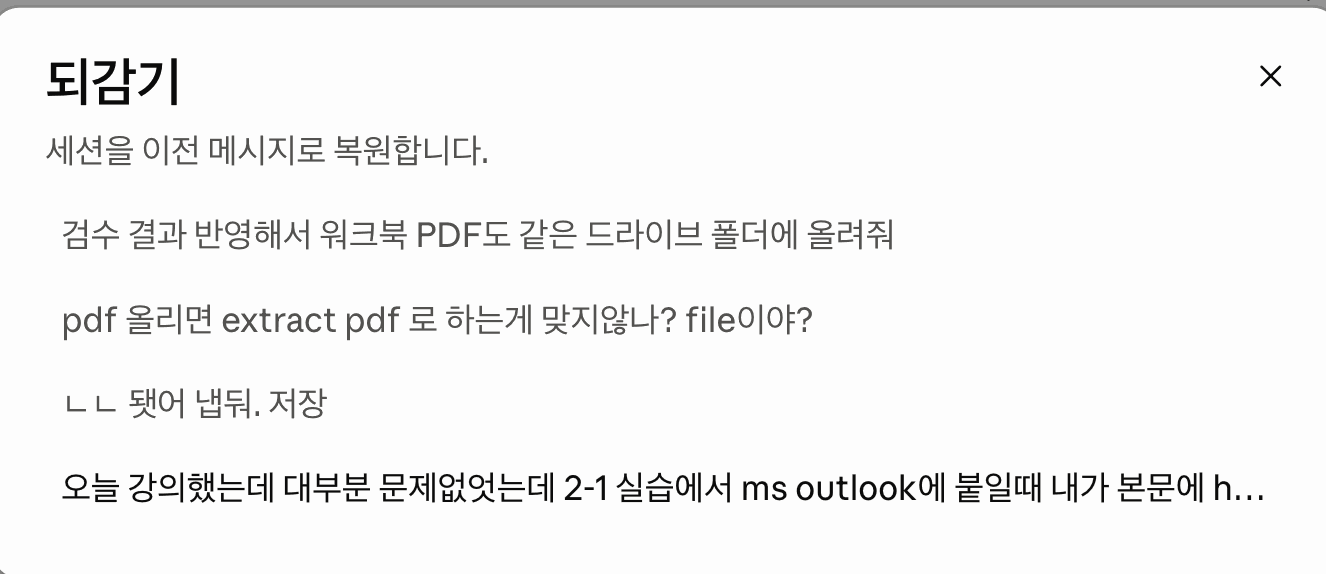
On Windows, if Esc doesn’t open the window, type /rewind in the message box.
Here’s how checkpoints and Git compare side by side:
| Item | Checkpoint | Git |
|---|---|---|
| Setup | Not needed | Install separately |
| Saving | Automatic, every time you send a message | When you commit |
| Building with teammates | No | Yes |
5. When should you install Git?
There are two criteria: Is this something you’ll reopen and edit next week, or are you building it with teammates? If neither applies, you can skip Git.
| My situation | What to choose |
|---|---|
| A task you’ll finish in today’s practice session | Checkpoints are enough |
| A deliverable you’ll reopen and edit next week | Install Git |
| A deliverable you build with teammates | Install Git |
You can check whether Git is already on your computer with a single command. If you’ve never used the terminal (the command-line window) before, read What is a terminal? first.
- Mac: Press the
Cmdkey to the left of the spacebar together with the spacebar, then type “Terminal” in the search box that appears. - Windows: Find PowerShell (the command-line window on Windows) in the Start menu and open it.
Paste the line below into the open window and press Enter.
git --version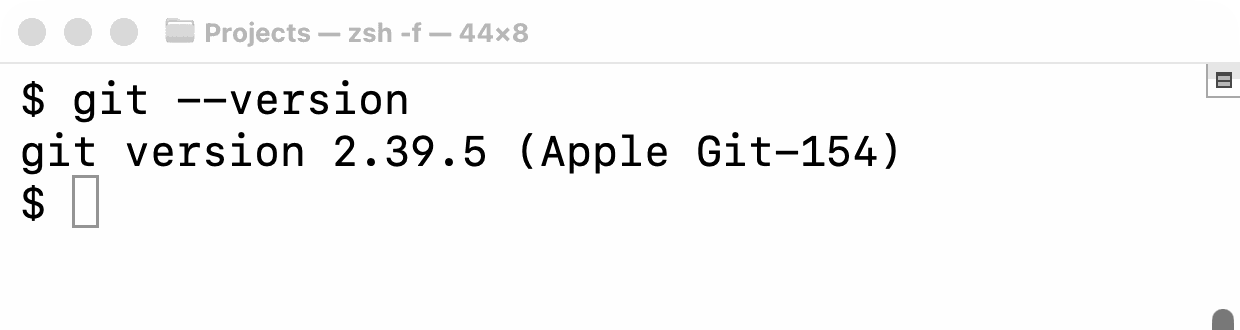
If you see something other than a number, do the following:
- Mac: If you see an error or an install prompt, show that screen to Claude in Cowork, the other tab in the Claude app, and ask what to do. The official desktop docs also recommend this.
- Windows: If you get an error, Git isn’t installed yet. If the task is one you’ll finish today, leave it as is. If you need Git later, download and install Git for Windows.
BuildnWrite helps teams build AI agents that keep running. About BuildnWrite ›